
Sell the big items. Let them pay later.
Add SPayLater, Grab PayLater and Boost PayFlex to your checkout. Buyers who would wait for payday can split the purchase into instalments and buy today.

Trusted by these companies














Pay-later your customers already use



Before & after BCL
How it works
What you can do
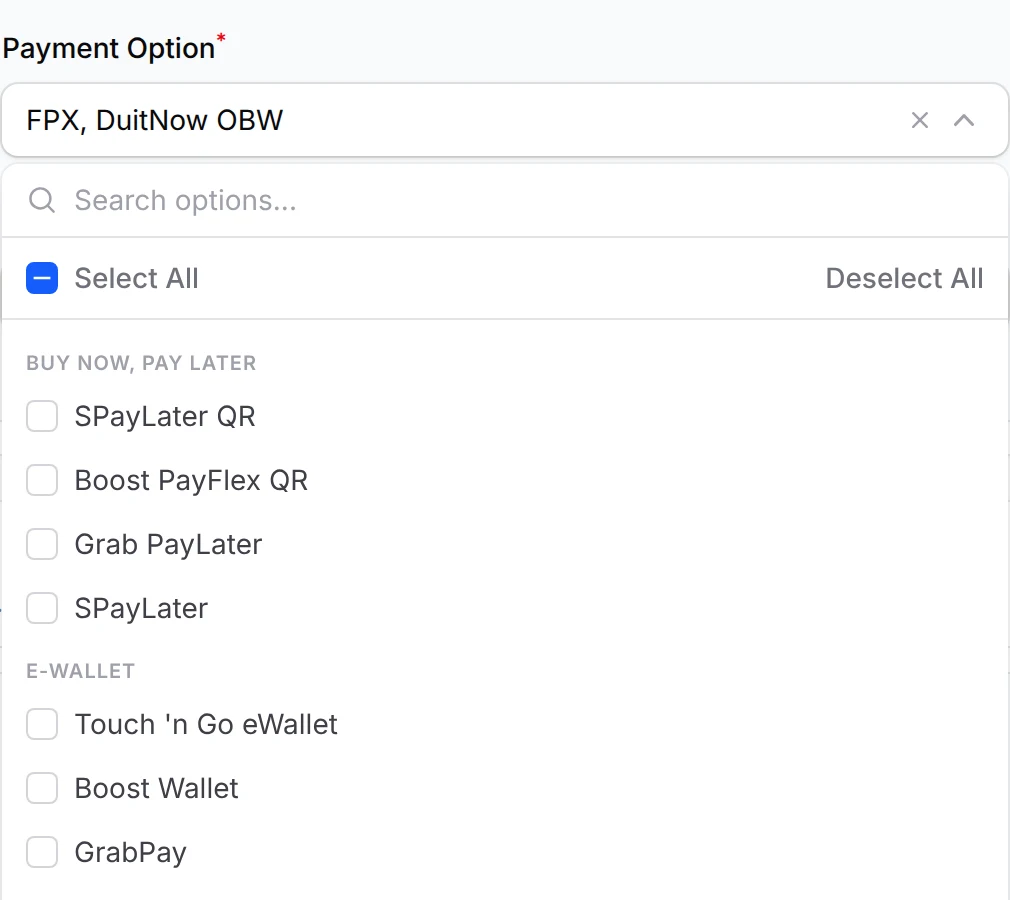
Tick pay-later on any form
Once Bayarcash switches the channels on for your portal, they appear in Payment Option under Buy Now, Pay Later. Tick SPayLater, SPayLater QR, Grab PayLater or Boost PayFlex QR, then click Update Form.
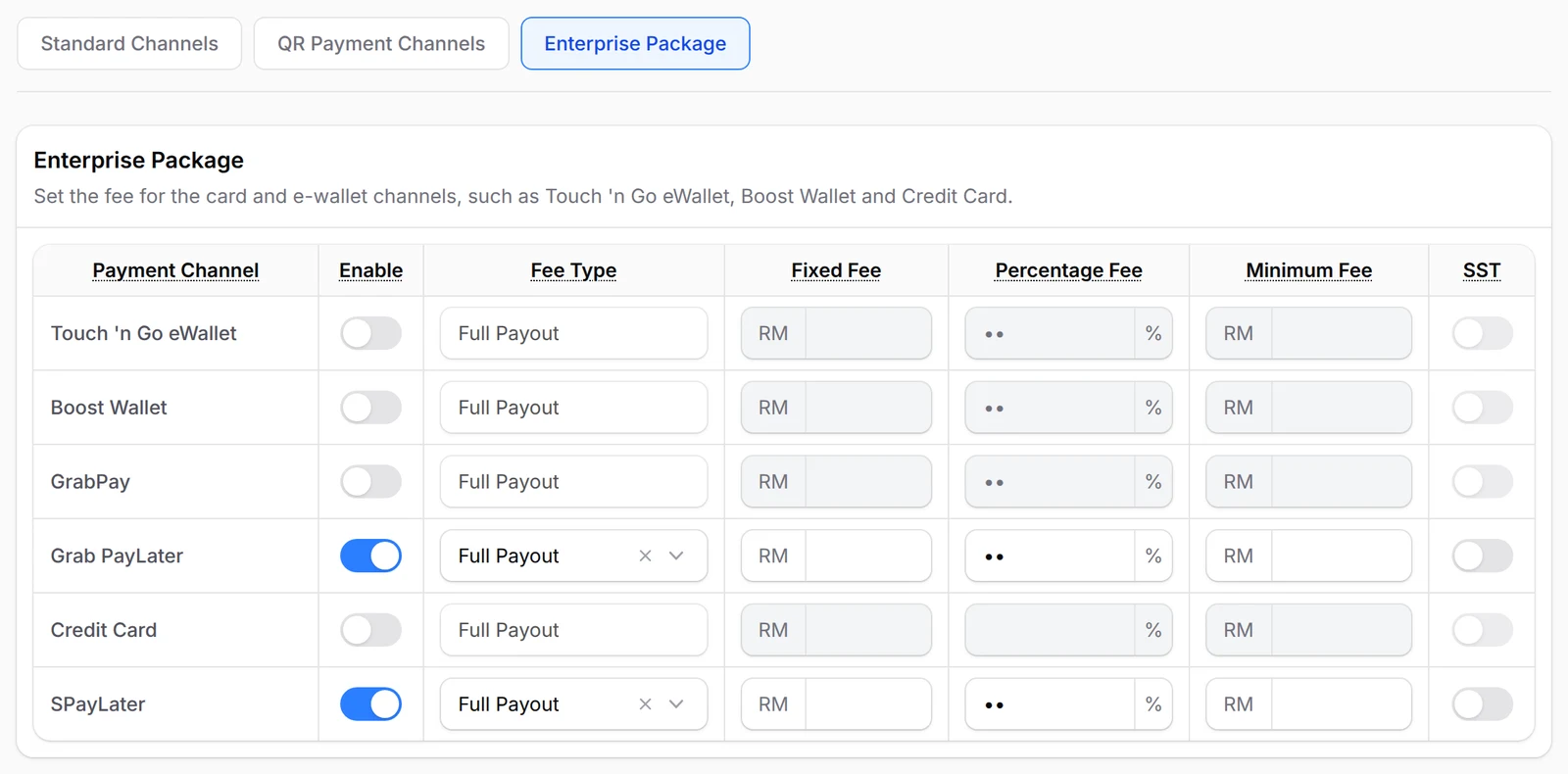
Keep the full sale
Each channel has its own Bayarcash rate. On the Gateway Fee page, set Full Payout so your customer pays enough extra to cover it and you receive the full amount.
Four pay-later channels
SPayLater, SPayLater QR, Grab PayLater and Boost PayFlex QR, once Bayarcash switches them on.
On forms, tickets, bookings & links
Payment forms, event forms, booking forms and payment links all have the same Payment Option list.
Keep the full sale
Set Full Payout on the Gateway Fee page, so the customer pays enough to cover the Bayarcash rate.
Pay-later by QR
SPayLater QR and Boost PayFlex QR let buyers pay later by scanning from their app.
Next to FPX & DuitNow QR
Pay-later adds choice. Buyers without a pay-later account still pay by online banking or QR.
Who uses it
How your customers pay
Pay-later sits alongside FPX and DuitNow QR, which come as standard. Cards and e-wallets are also switched on by Bayarcash. Real payments need an approved Bayarcash account; in Test Mode the Payment Option list shows every sandbox channel, but a channel only works live once it is on for your live portal.
Good to know
- Bayarcash switches pay-later on for your portal. BCL cannot turn it on by itself.
- Each channel has its own Bayarcash rate. Check it with Bayarcash first.
- The pay-later provider decides who qualifies and the instalment terms, not BCL.
- BCL has no Atome channel.
- Keep FPX and DuitNow QR on too, for buyers without a pay-later account.
See it live
Opens a live example page. Please do not pay.
Questions owners ask
Which pay-later options can my customers use?
SPayLater, SPayLater QR, Grab PayLater and Boost PayFlex QR, once Bayarcash has switched them on for your portal. Then tick them in the form's Payment Option.
Do I get the full amount?
Each channel has a Bayarcash rate. With Full Payout on the Gateway Fee page, your customer pays enough extra to cover it, so you receive the full sale.
Can I offer pay-later on a payment link?
Yes. Pick the channel in Payment Option when you create the link, or let your customer choose.
Does BCL support Atome?
No. BCL shows no Atome channel. The pay-later options are SPayLater, SPayLater QR, Grab PayLater and Boost PayFlex QR.
Can I start before my Bayarcash account is approved?
Yes. New accounts start in Test Mode, so you can build and try your forms first. Test payments go to the Bayarcash sandbox and nothing is charged. Your forms keep working after you connect Bayarcash.
Ready when you are.
Build your first form in Test Mode today. Connect Bayarcash when you want real payments.
Create your first form