
One link. A whole sales team.
Agents, stokis and fans share their own link. BCL records every referral and works out the commission. You pay them and mark it paid.

Trusted by these companies














What you get
Know who sold what
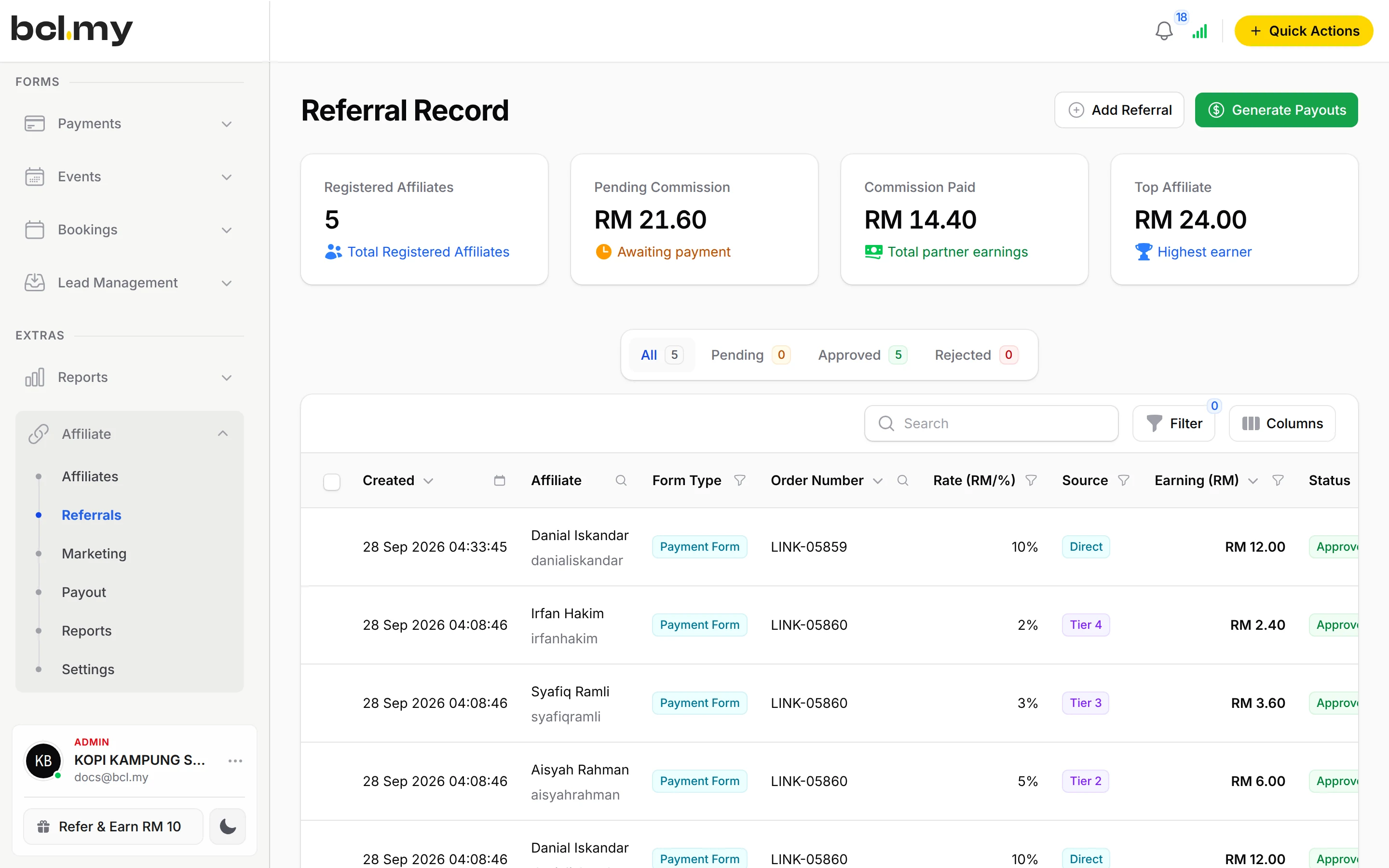
Every sale through an affiliate link becomes a referral with its commission, Approved once the payment succeeds and Rejected if it fails.
Pay the way you decide
One rate on the order, a different rate per form, a rate per product or ticket, or up to 10 levels for agents who recruit agents.
You stay in control of the money
Payouts are not automatic. Generate Payouts by period, transfer from your bank, and click Mark as Paid. Both sides keep a record.
What you can do
Turn it on per form
Enable Affiliates on each form affiliates may promote. Share your Sign-up link, and approve joiners with Require Manual Approval if you like.
Their own dashboard
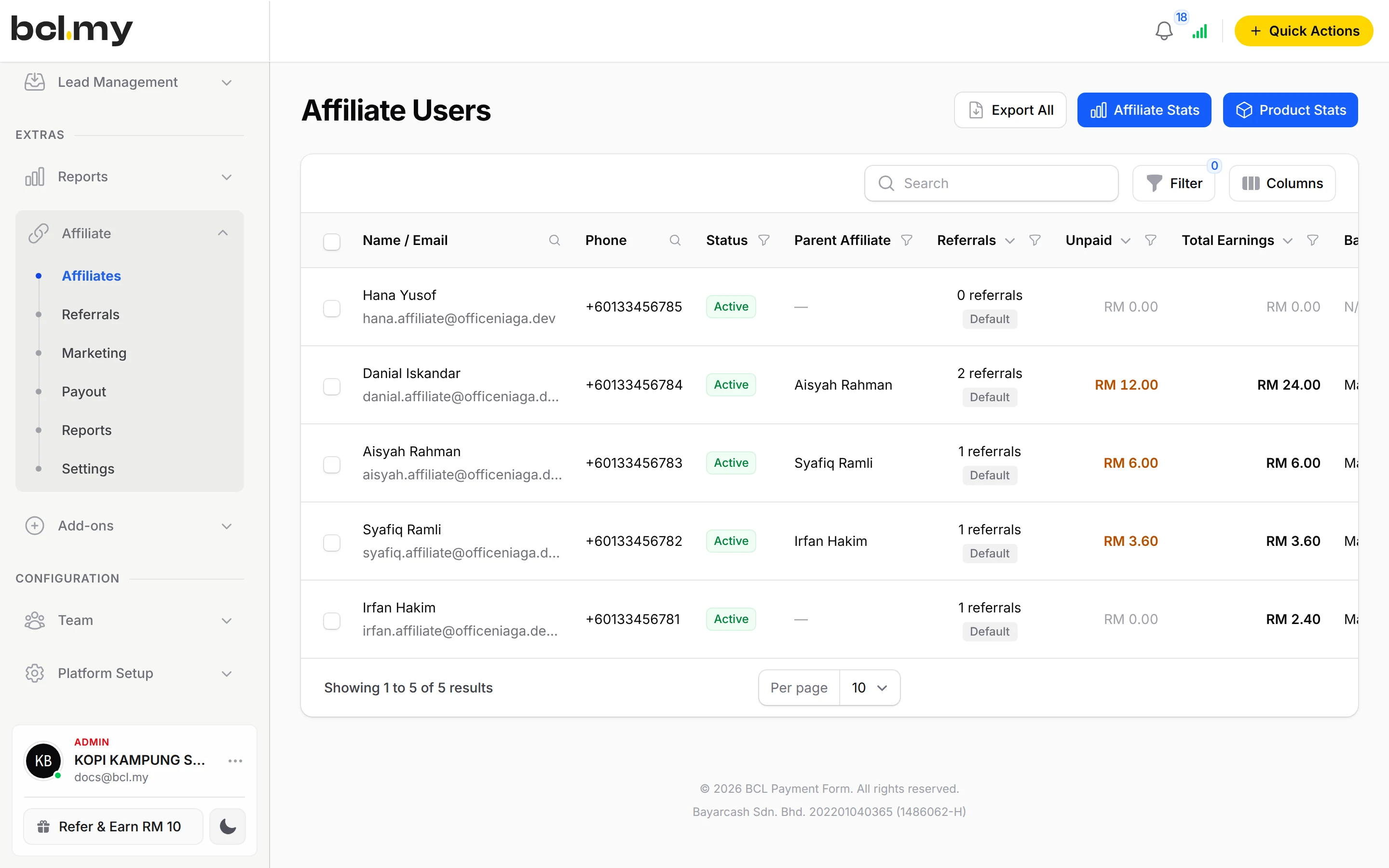
Affiliates see their links, referrals, marketing media and payouts, never your BCL account.
Multi-tier commission
2 to 10 levels, Percentage or Flat Rate per tier, every tier a share of the same sale. Assign Parent Affiliate to fix a chain.
Per-item commission
Set Commission Calculation to Per item and give each product, variation option or ticket its own % or RM rate, or 0.
Marketing media
Give affiliates banners and links, and email them announcements.
Payout rules
Minimum Payout Threshold, Request Payout from the affiliate side or Disable Payout Requests, and Export All for bulk transfers.
Affiliate pixels
An affiliate can add their own Meta or TikTok pixel for your form and see only the purchases they referred.
Used by
Jobs it helps with
Good to know
- Payouts are not automatic. You transfer the money and mark the payout as paid.
- Forms that use Direct Debit cannot have affiliates.
- A sale counts only when the customer came through the affiliate's link within your Cookie Expiration Days and the form has Enable Affiliates on.
- Per item is offered on Multiple Items, Items with Variations and event forms. Booking forms use one rate per order.
- A custom rate given to one affiliate comes before per-item rates.
- Referrals added by hand pay the seller only, not the uplines.
Questions owners ask
Does BCL pay my affiliates automatically?
No. BCL works out and tracks the commission, but you approve each payout, transfer the money yourself, then click Mark as Paid under Affiliate > Payout.
Do affiliates need their own BCL account?
They need an affiliate account, which they create from your Sign-up link. It is separate from your BCL dashboard: they only see their links, referrals, marketing media and payouts.
Can my affiliates recruit other affiliates and earn from their sales?
Yes. Turn on Enable Multi-Tier Commission, set Maximum Tier Levels (2 to 10) and a rate for each tier. Every tier is a share of the same sale, not of the commission below it.
Can affiliates earn more on some products than others?
Yes. Set Commission Calculation to Per item on the form and give each item its own rate, or 0 for items that earn nothing.
What is BCL, and how does it work with Bayarcash?
BCL is where you build your forms, pages and payment links and see every sale. Bayarcash is the payment gateway behind it: it collects the payment and pays it out to your bank, minus its fee. To take real payments you need an approved Bayarcash merchant account.
How do refunds work?
BCL has no refund button. Return the money to your customer yourself (for example by bank transfer), then cancel the order in BCL so your records match.
Ready when you are.
Build your first form in Test Mode today. Connect Bayarcash when you want real payments.
Create your first form