
Registration sorted before race day.
Runners and guests pick a ticket, pay, and get a QR ticket by email. On the day, your crew scans them in from their phones. One link. Tickets, seats and check-in.
Trusted by these companies














Sound familiar?
A spreadsheet of names & slips
Registrations in a Google Form, payments by transfer, T-shirt sizes in a third place. Someone has to match them all before the race pack order.
Our committee spent every night matching slips to names.
Who sits where
For the annual dinner, companies want whole tables and members want seats together. The seat chart changes every day on paper.
The queue at registration
On the morning, volunteers flip through printed lists to find each name. The line grows and flag-off is late.
The queue at the race pack table was longer than the race.
What you can do with one link
Sell tickets for your event
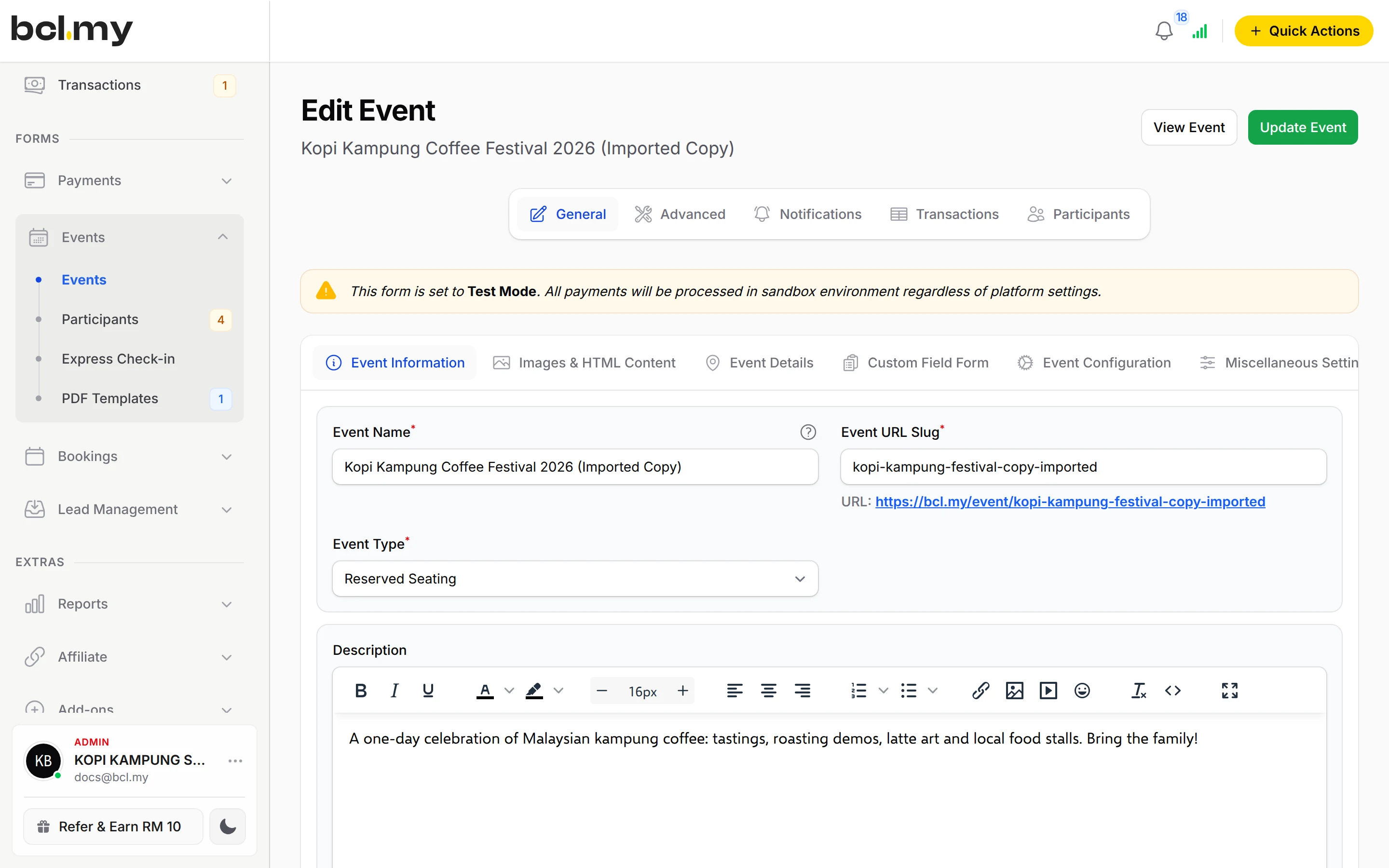
An event form with up to 20 ticket types, such as 5 km, 10 km, Kids Dash and a Family Pack. Choose Standard Ticket for runs and talks, or Reserved Seating for dinners.
Learn moreGet paid on WhatsApp
Share the event link in club groups. For a sponsor or a company table, send a Payment Link for the agreed amount.
Learn moreTake payments at your counter
Sell merchandise or late registrations at the venue with QR Terminal on a phone.
Learn moreRun an affiliate or agent team
Give partner clubs or ambassadors their own link and track the tickets each one sells. You approve and pay their commission yourself.
Learn moreSet up in 5 steps
See it live
Larian Santai Bukit Indah Fun Run
- Four ticket types: 5 km, 10 km, Kids Dash and a Family Pack
- Family Pack covers 4 runners, each with their own details
- Limited stock on every category
- QR ticket for race pack collection
Open the example: Larian Santai Bukit Indah Fun Run
Opens a live example page. Please do not pay.
How your customers pay
Participants pay by FPX or DuitNow QR as standard, and by card, e-wallet or PayLater once Bayarcash switches them on. Cross-border QR helps runners from Singapore, Indonesia and Thailand once it is on; ticket prices stay in RM. At the venue, QR Terminal takes DuitNow QR for walk-ins.
Good to know
- Event forms need the Event Management add-on.
- One start and end date per event form. For sessions on different days, create one form per session.
- Registration closes when the event starts unless you turn on Allow Late Registration.
- Certificates are not sent automatically. You generate them, for example for everyone who checked in.
- No refund button. Return the money yourself, then cancel the ticket in BCL.
After they pay
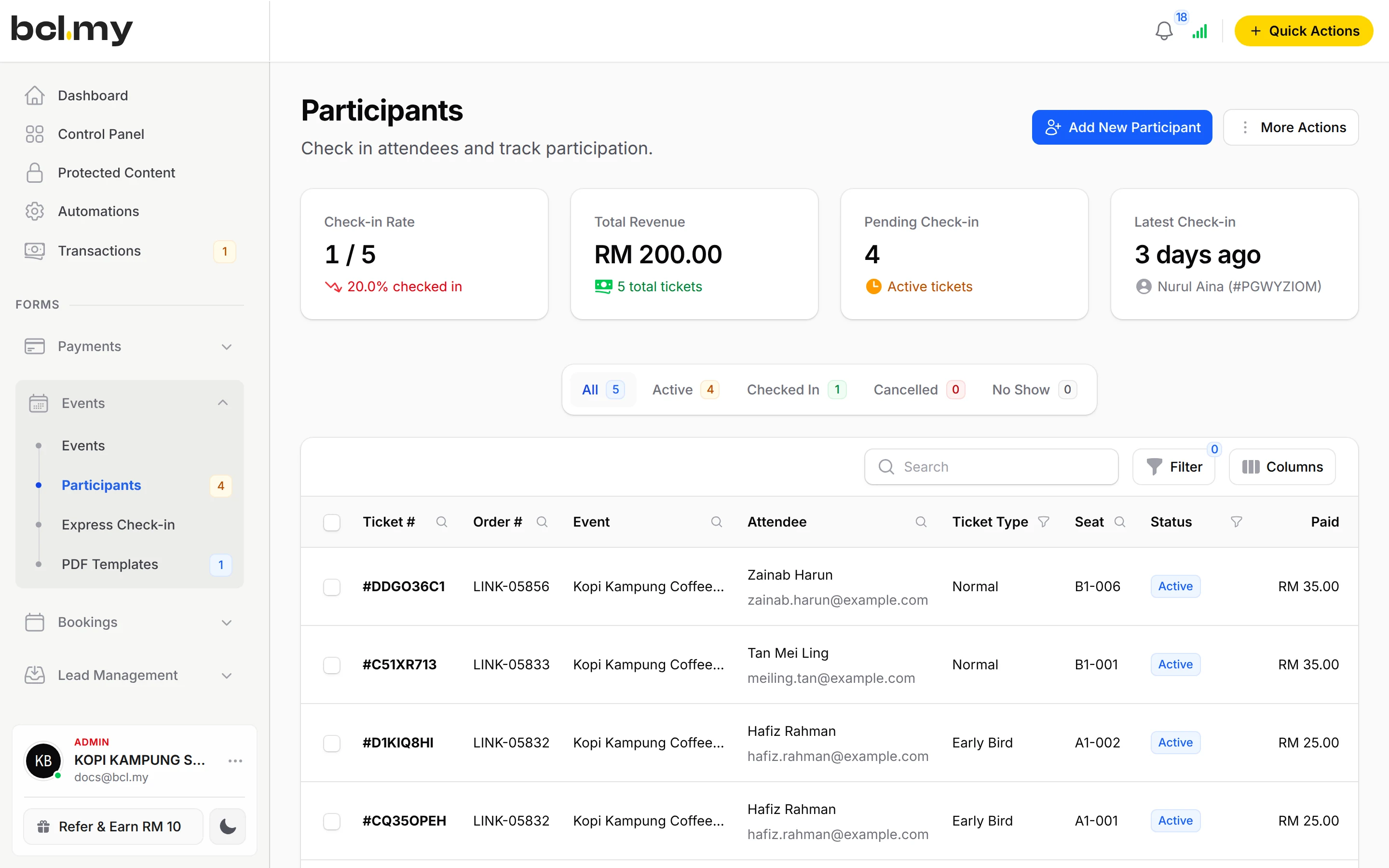
Each buyer gets a PDF ticket with a QR code. Participants lists every attendee with ticket, seat and check-in status, ready to export.
AutomationsEmail every participant the time, venue and their ticket the day before the event.
TransactionsShare a Live Dashboard link with your committee to watch ticket sales and stock left, without giving them a login.
TeamCrew Event logins keep volunteers on check-in only.
Questions owners ask
Can I sell a family or group ticket?
Yes. In a Standard Ticket event, set Attendees Per Ticket on the ticket type, for example 4, and the buyer fills in each person's details. For seated events, a Group bundle ticket gives several seats, such as a table of 10.
Can guests choose their own seats?
Yes. Set the Event Type to Reserved Seating and draw a seat plan for each ticket type. Guests pick numbered seats when they buy, and you can move someone later from Participants.
Can my volunteers check people in without my login?
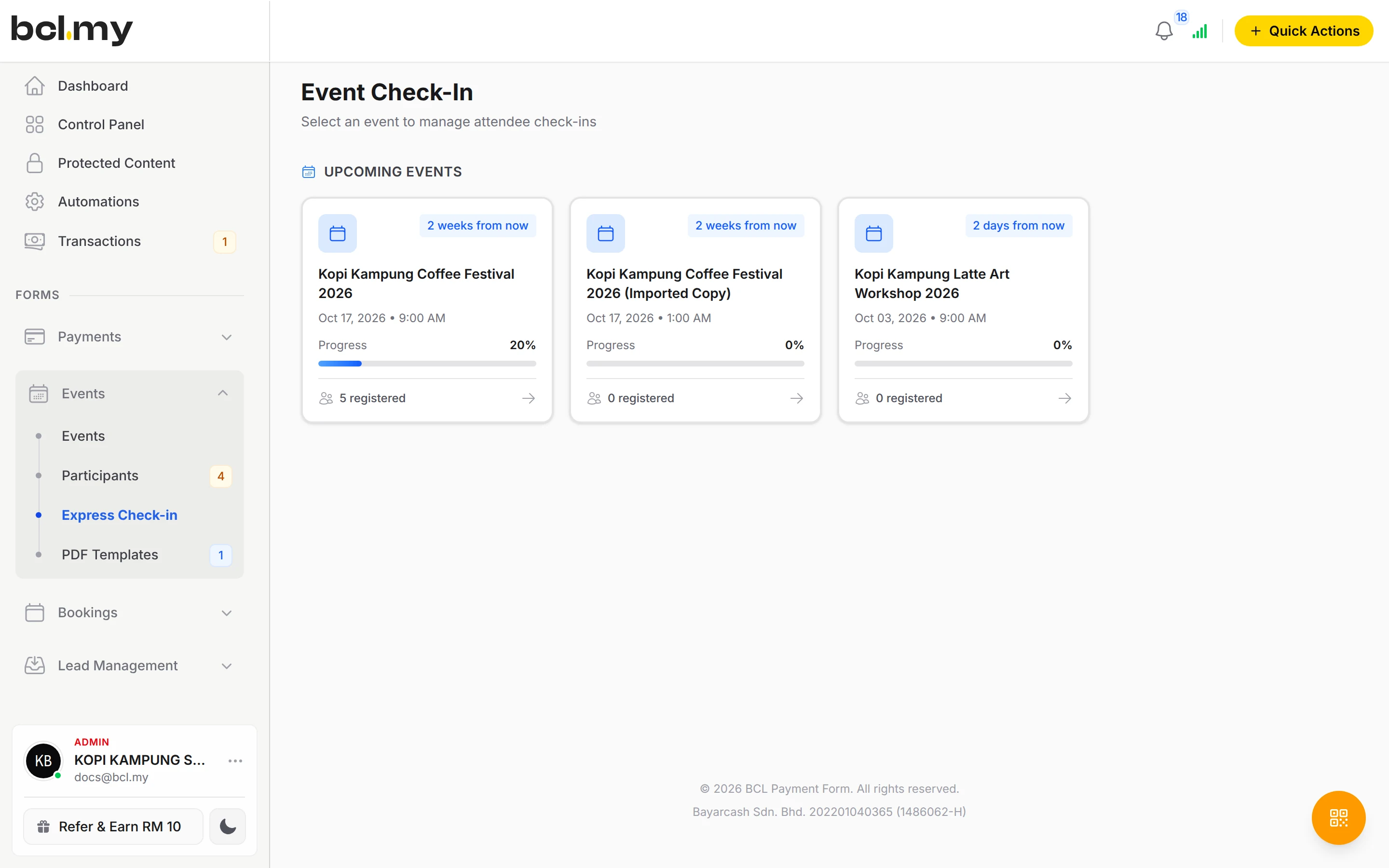
Yes. Add them with the Crew Event role, limit them to your event and send each one a Magic Login link. Several phones can scan at once, and a ticket scanned twice shows Already Checked In.
Can I give finishers a certificate?
Yes. Design a certificate template with your own background, link it to the event, then generate certificates for the participants you choose and email them from BCL.
Do I need an add-on?
Not to start. Payment forms, payment links, coupons and transactions need no add-on. Add-ons unlock Event Management, Lead Forms, OTP-Protected Content, COD & Manual Transfer, LHDN E-Invoice and Courier Integration. Each is monthly or yearly, renewals are invoiced (never auto-charged), and you can cancel yourself.
How do refunds work?
BCL has no refund button. Return the money to your customer yourself (for example by bank transfer), then cancel the order in BCL so your records match.
Owners like you also run
Ready when you are.
Build your first form in Test Mode today. Connect Bayarcash when you want real payments.
Create your first form