
Collect sign-ups, not just payments.
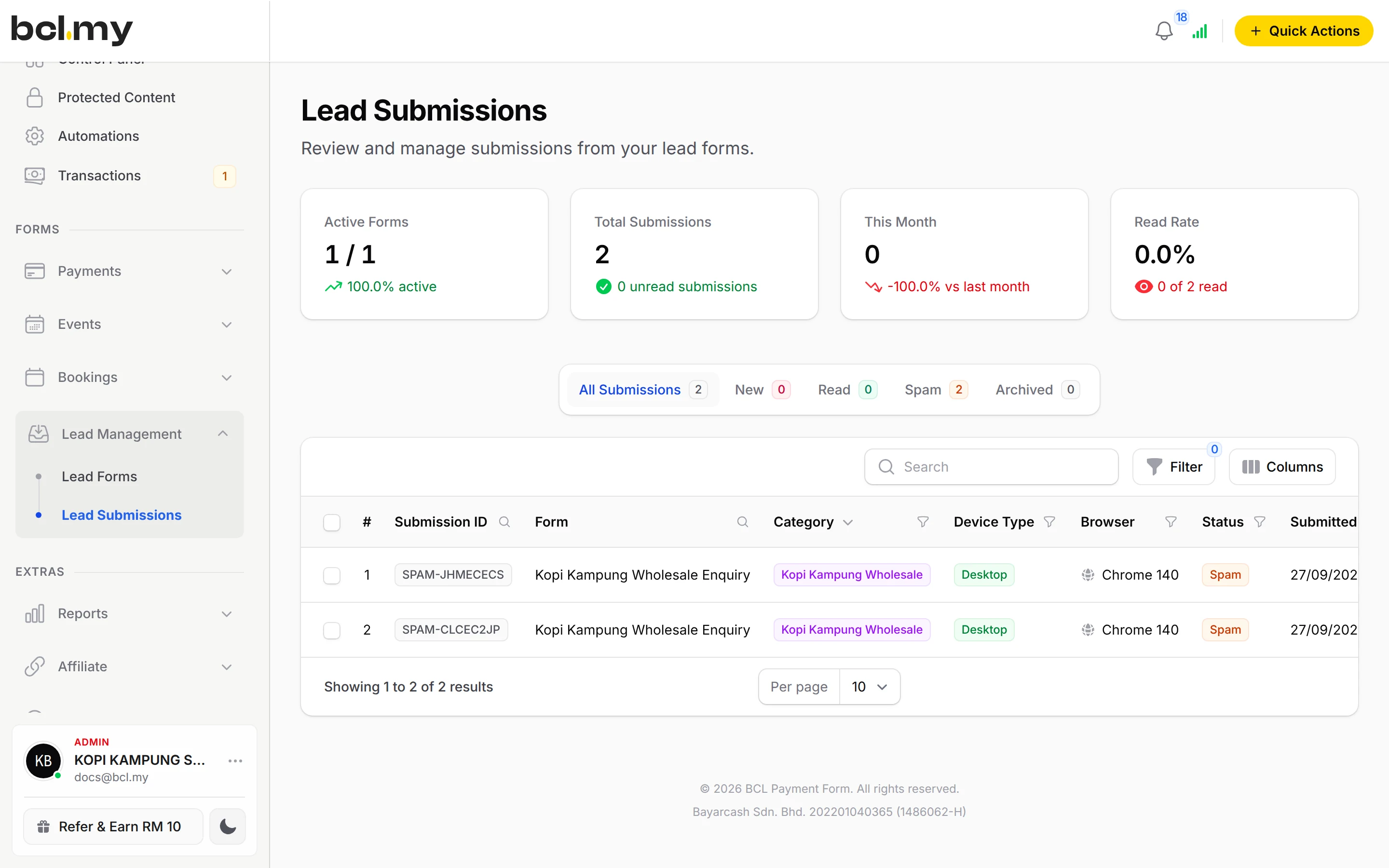
A quote request, a trial class, a webinar seat. Build the form, share the link, and every submission lands in Lead Submissions with an alert to your team.
Trusted by these companies














What you get
Every enquiry in one place
Each submission is saved in Lead Submissions with the fields you asked for, not buried in a chat.
A reply goes out for you
Email your team for each lead, send the person an automatic reply with a brochure attached, and add WhatsApp or SMS alerts.
Follow up without remembering
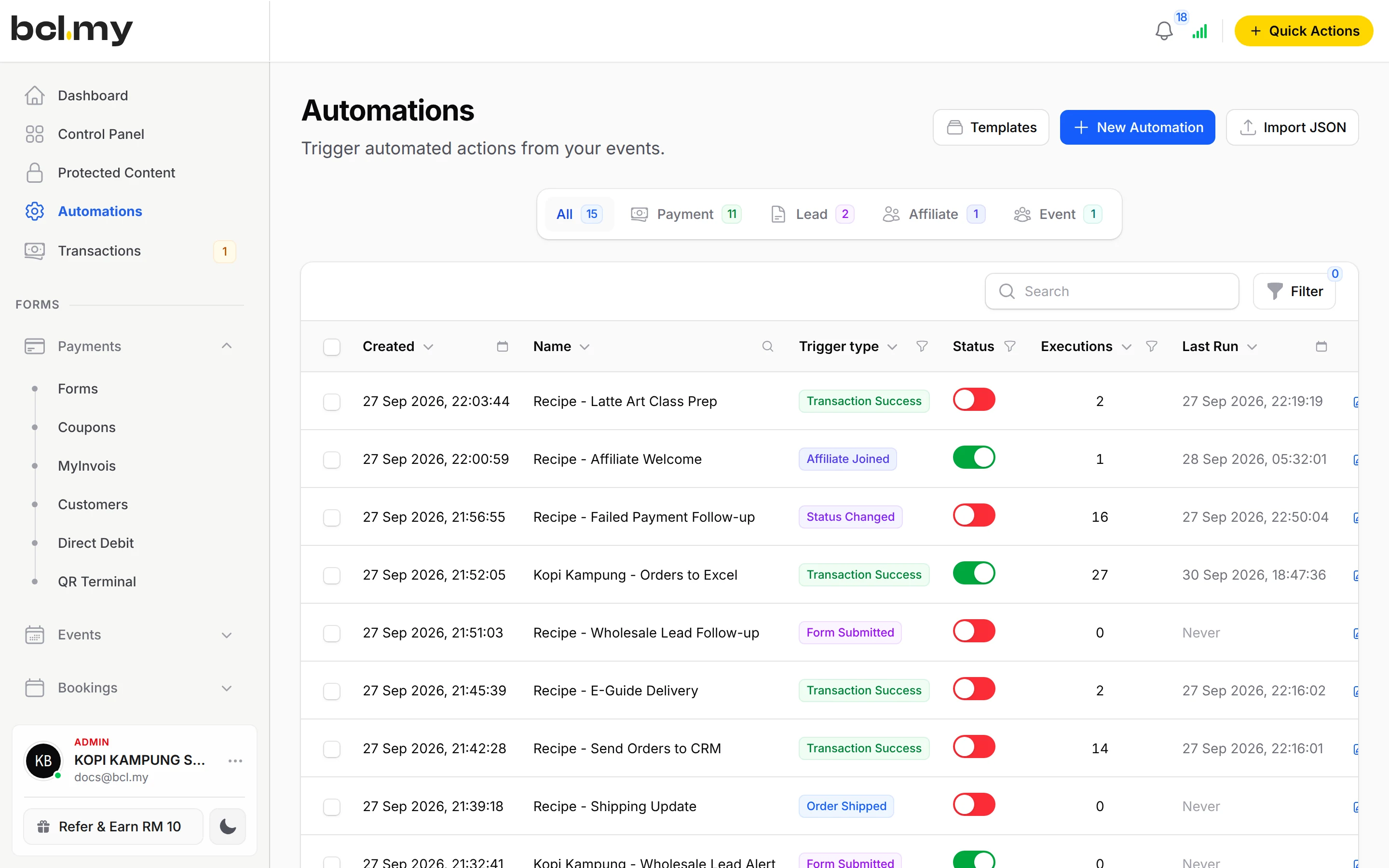
Use the New Lead Received trigger in Automations to add the lead to Google Sheets, a Mail Niaga list or your own system.
What you can do
Build the fields you need
Text Input, Number, Email, Phone Number, Date Picker, Dropdown, Radio Buttons, Checkboxes, File Upload, Signature and layout blocks, dragged into order.
Alerts your way
Email Recipients per form, plus WhatsApp (through Wabot or Wasapbot) and SMS (SMS Niaga) to you and to the person who submitted.
Autoresponder
A thank-you email with Delay Email Delivery, a submission summary and a file up to 10 MB attached.
Control the form
Form Active, Show Date and Close Date, Maximum Submissions and a Thank You Message.
Embed or share
Share the link, or use the Embed Code on your own website.
Copy between accounts
Clone Form inside the account, or Export JSON and Import JSON.
Used by
Good to know
- Needs the Lead Forms add-on.
- Needs the Lead Forms add-on.
- Lead forms take no payment. To collect an amount at sign-up, use a Payment Form.
- Lead submissions cannot be imported from a file.
- No ready-made templates; copy a form with Clone Form or Export JSON.
- SMS alerts are limited to 160 characters.
Questions owners ask
Can I make a form like Google Forms, one that collects details but no payment?
Yes. A lead form collects details such as name, email and phone number without a payment step. Lead forms need the Lead Forms add-on.
Can my staff get an email every time someone fills in the form?
Yes. Open the form's Email Notifications tab and add their addresses under Email Recipients, then click Update Form.
Can the person get a confirmation email with a file attached?
Yes. On the form's Additional tab, turn on Enable Autoresponder and Attach File to Email, for a brochure, price list or e-book up to 10 MB.
Can I use a lead form for webinar or seminar registration?
Yes. Create a lead form with the fields you need and share its link. Every sign-up is saved in Lead Submissions, and you can send a confirmation email or start an automation for each one.
Do I need an add-on?
Not to start. Payment forms, payment links, coupons and transactions need no add-on. Add-ons unlock Event Management, Lead Forms, OTP-Protected Content, COD & Manual Transfer, LHDN E-Invoice and Courier Integration. Each is monthly or yearly, renewals are invoiced (never auto-charged), and you can cancel yourself.
What is BCL, and how does it work with Bayarcash?
BCL is where you build your forms, pages and payment links and see every sale. Bayarcash is the payment gateway behind it: it collects the payment and pays it out to your bank, minus its fee. To take real payments you need an approved Bayarcash merchant account.
Ready when you are.
Build your first form in Test Mode today. Connect Bayarcash when you want real payments.
Create your first form