
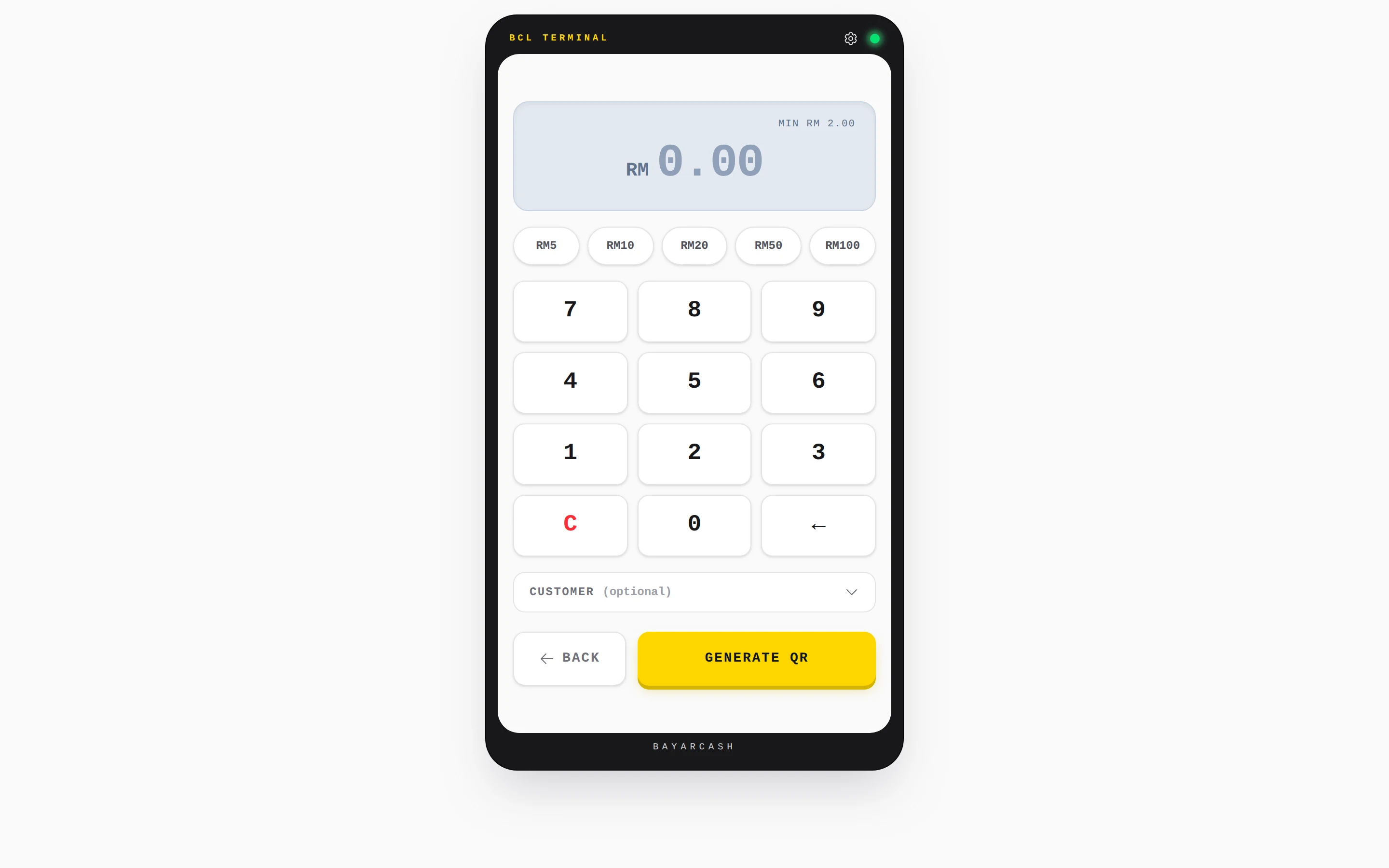
Key in the amount. Show the QR.
No card terminal needed. QR Terminal turns your phone, tablet or laptop into a counter for stalls, bazaars and shops.

Trusted by these companies














Before & after BCL
How it works
What you can do
A QR for every sale
Each code carries the amount you keyed in. No more printed QR with no amount.
Quick amounts
Preset buttons for your usual prices. Set your own under Quick Amounts (RM), or keep the defaults.
Expired code? Check first
If a code expires and the customer says they paid, tap Customer already paid? Check status before you make a new one.
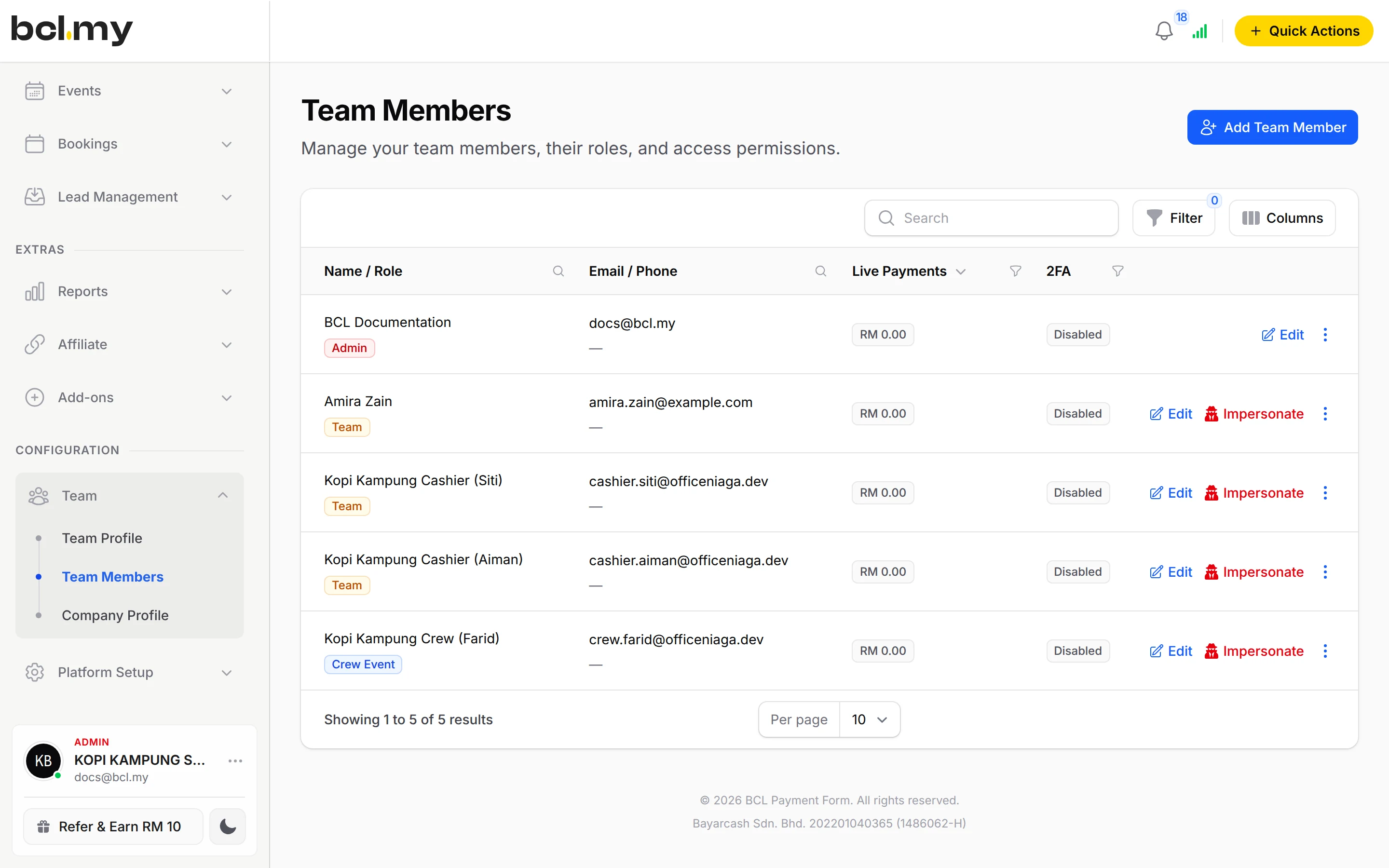
Cashier logins
BCL has no Cashier role. Add your cashier as a Team member with only Can View Transactions. They see only their own sales.
Payment Link as a backup
Create a Payment Link from Quick Actions when a customer is not at the counter.
Who uses it
How your customers pay
QR Terminal uses your connected Bayarcash account and takes DuitNow QR and the QR channels your portal supports. The minimum payment is RM2.00. It always takes live payments, even in Test Mode, so try it with RM2.00. Money goes through Bayarcash to your bank and BCL records the sale.
Good to know
- The minimum payment is RM2.00.
- QR Terminal always takes live payments, even when Test Mode is on. Every code it shows is a real payment request.
- A code is valid for about a minute. After that you see QR EXPIRED.
- With Test Mode on, Transactions lists only test payments, so QR payments are not shown until your account is live.
- There is no Cashier role. Use a Team member with Can View Transactions.
- There is no refund button. Refund outside BCL, then cancel the order.
Questions owners ask
Can I test QR Terminal without taking real money?
No. QR Terminal always uses your connected Bayarcash account, even when Test Mode is on. Test it with the smallest amount, RM2.00.
The QR expired but my customer says they paid. What now?
Tap Customer already paid? Check status. BCL checks the payment again before you make a new code.
Can my cashier use it without seeing my whole account?
Yes. Add them as a Team member and turn on only Can View Transactions. They can use QR Terminal and see only their own sales.
What is BCL, and how does it work with Bayarcash?
BCL is where you build your forms, pages and payment links and see every sale. Bayarcash is the payment gateway behind it: it collects the payment and pays it out to your bank, minus its fee. To take real payments you need an approved Bayarcash merchant account.
Ready when you are.
Build your first form in Test Mode today. Connect Bayarcash when you want real payments.
Create your first form