
One link. Tickets, seats and check-in.
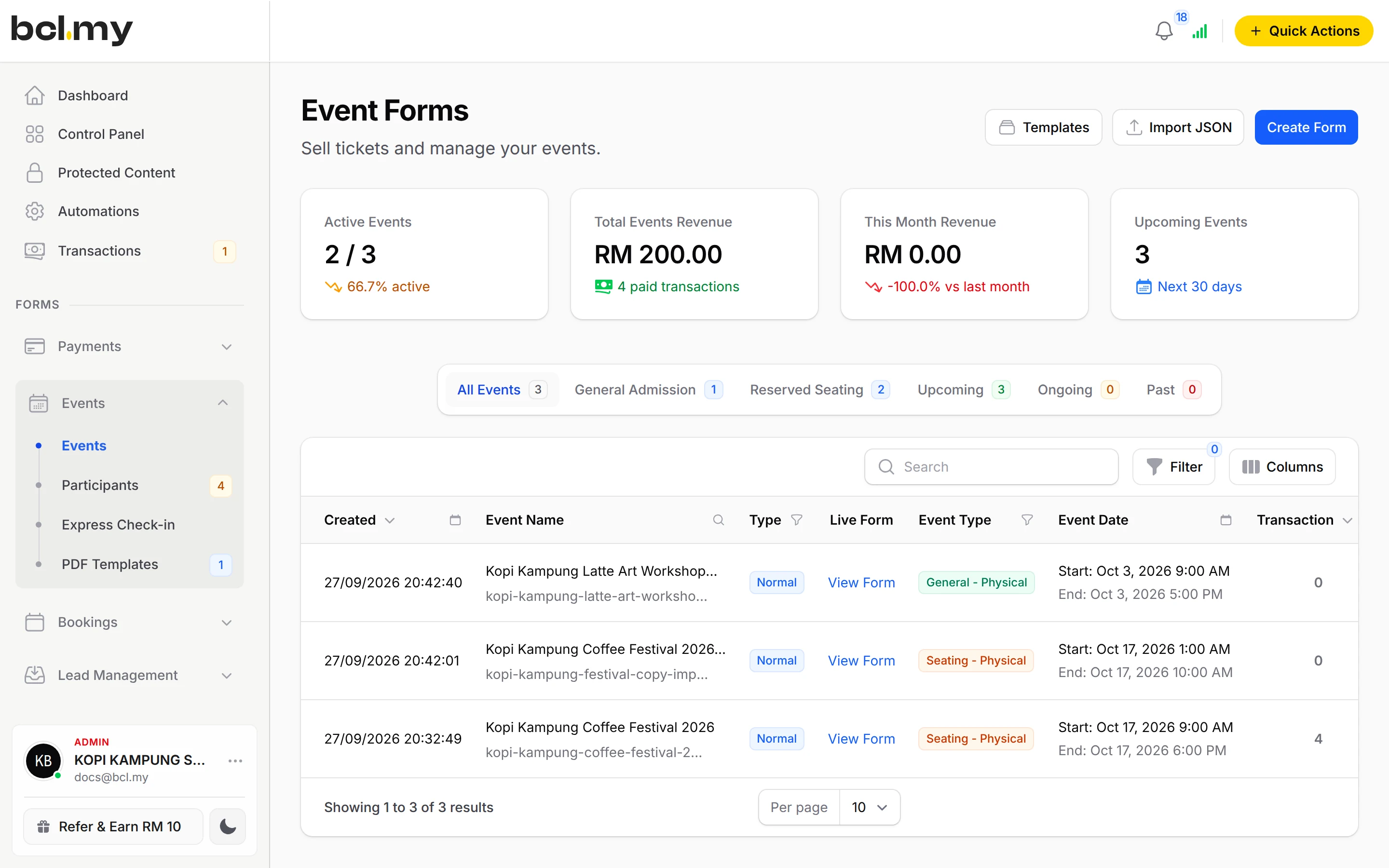
Ticket types with stock, a seat plan if you need one, a PDF ticket with a QR code for every buyer, and a phone at the door to scan them in.
Trusted by these companies














What you get
No spreadsheet of names
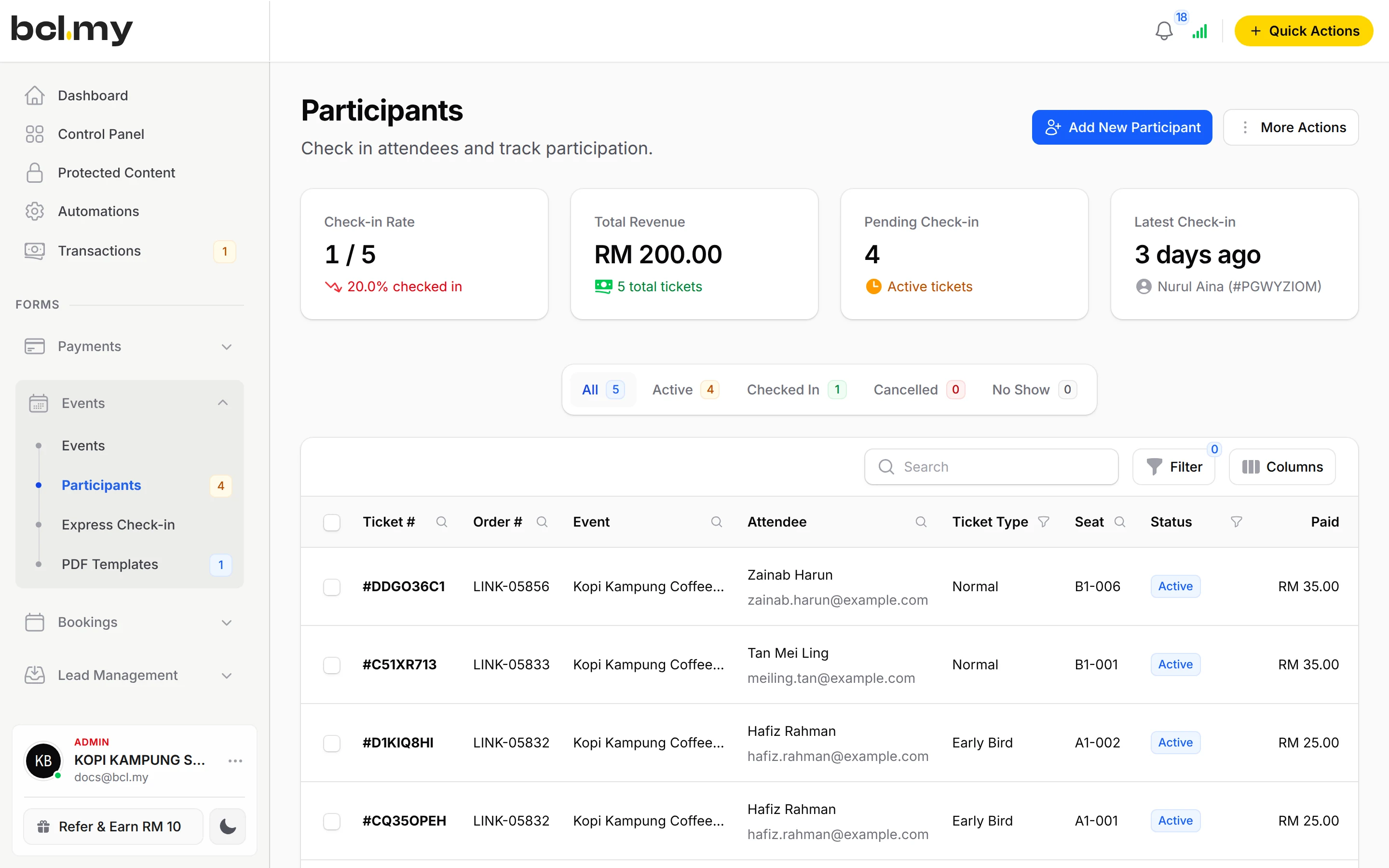
Every buyer is a participant with their ticket type, seat and check-in status. Export the list, or check people in from the office.
Check-in from any phone
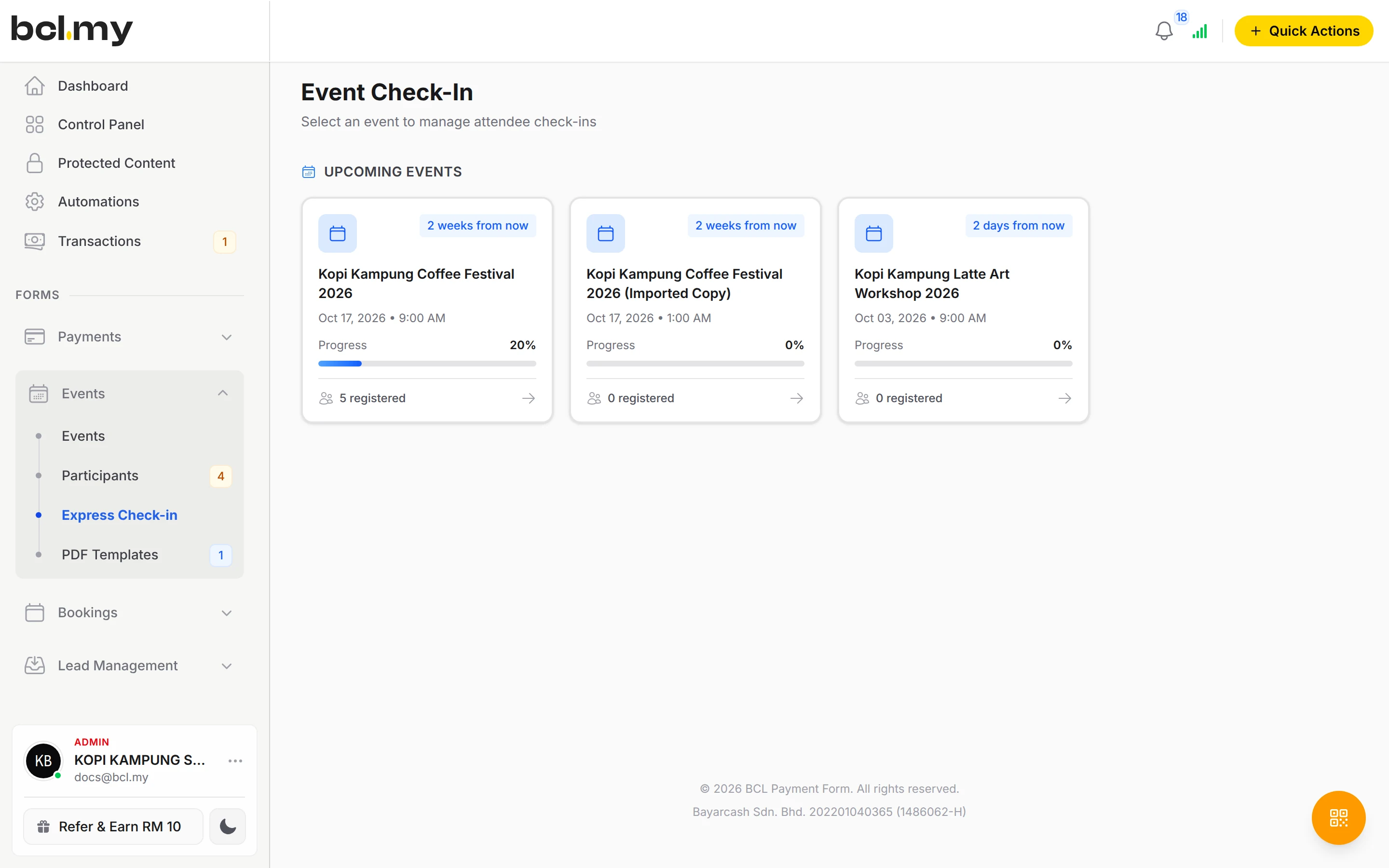
Express Check-in works on a phone or tablet. Scan the QR on the ticket or search by name, MyKad, ticket or seat. Several devices can scan at once.
Helpers without your password
Give door staff the Crew Event role, limited to your event, and send them a magic login link. They see only check-in and the participant list.
What you can do
Up to 20 ticket types
Each with its own price and stock. Standard Ticket for first come, first served; Reserved Seating for numbered seats.
Seat plans
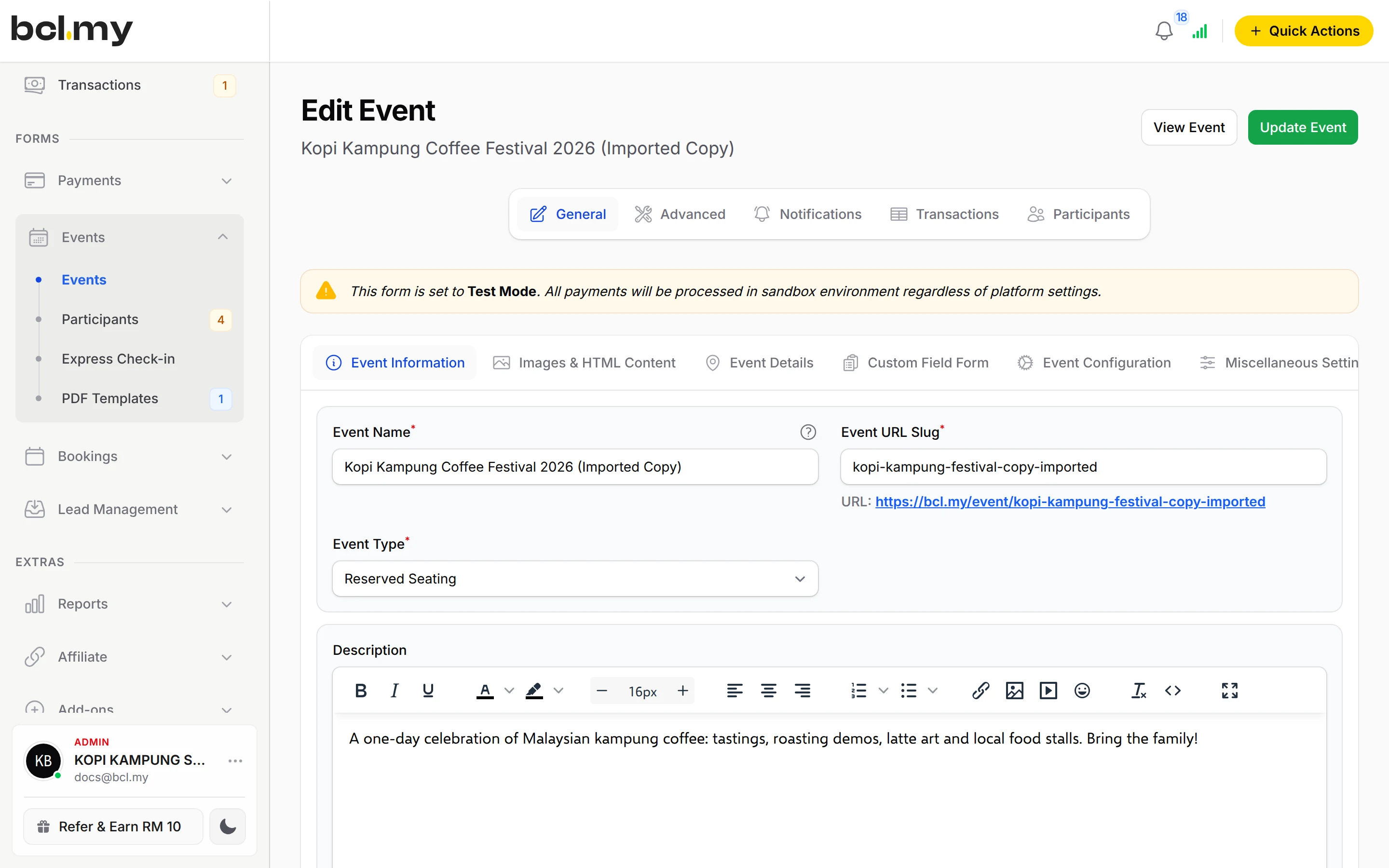
Grid (Hall / Theater) or Pond layouts per ticket type. Group bundle tickets for a table of 10; Reserve seats to hold some back.
Physical, online or hybrid
Set the Venue Type and give a Venue Address or an Online Event Link.
Attendee details
Ask what you need per attendee under Attendee Details, or turn on Require MyKad / IC Number.
Certificates
Design a PDF template on your own background, then generate and email certificates to the people who checked in.
Late registration & templates
Allow Late Registration keeps selling after the event starts. Start from a workshop, gala dinner or charity run template.
Live Dashboard
Share a private link that shows ticket sales as they happen, for your committee or a screen at the venue.
Used by
Jobs it helps with
Good to know
- Needs the Event Management add-on.
- Needs the Event Management add-on.
- One event form has one start and one end date. For several sessions on different days, create one event form per session.
- Registration closes when the event starts unless Allow Late Registration is on.
- In a Reserved Seating event, only ticket types with a saved seat plan are shown.
- Certificates are not sent automatically; you choose when to generate them.
Questions owners ask
Can customers choose their own seats?
Yes. Set the Event Type to Reserved Seating, then click Seating on each ticket type to draw its seat plan. Customers pick seats on the plan when they buy.
How do I check people in on the day?
Open Events > Express Check-in on a phone or tablet, choose your event, then scan each ticket's QR code or search for the attendee and click Check In. A ticket scanned twice shows Already Checked In.
Can my helpers check in attendees without my login?
Yes. Add each helper on Team Members with the Crew Event role, choose the event in Allowed Events for Check-In, and send them a magic login link. They only see the check-in pages.
How many ticket types can I sell in one event?
Up to 20, each with its own price and stock. An event form has one start and one end date, so make one form per session for a multi-day programme.
Do I need an add-on?
Not to start. Payment forms, payment links, coupons and transactions need no add-on. Add-ons unlock Event Management, Lead Forms, OTP-Protected Content, COD & Manual Transfer, LHDN E-Invoice and Courier Integration. Each is monthly or yearly, renewals are invoiced (never auto-charged), and you can cancel yourself.
Which payment methods can my customers use?
FPX online banking and DuitNow QR come as standard. Cards (Visa and Mastercard), e-wallets (Touch 'n Go eWallet, Boost, GrabPay), Buy Now Pay Later (SPayLater, Grab PayLater, Boost PayFlex) and cross-border QR (Singapore, Indonesia, Thailand and China) appear once Bayarcash switches them on for your account. Prices are in RM.
Ready when you are.
Build your first form in Test Mode today. Connect Bayarcash when you want real payments.
Create your first form