
Collect donations. Show the progress.
Donors give any amount from one link. A target and a progress bar show how close you are.

Trusted by these companies














Before & after BCL
How it works
What you can do
Donation form type
A page with a progress bar, a Target Amount and a countdown to the end date.
Any amount
Open Amount (User Input) lets each donor type what they want to give.
Regular giving
Offer monthly donations on a separate Direct Debit form, Weekly or Monthly.
Collect at the venue
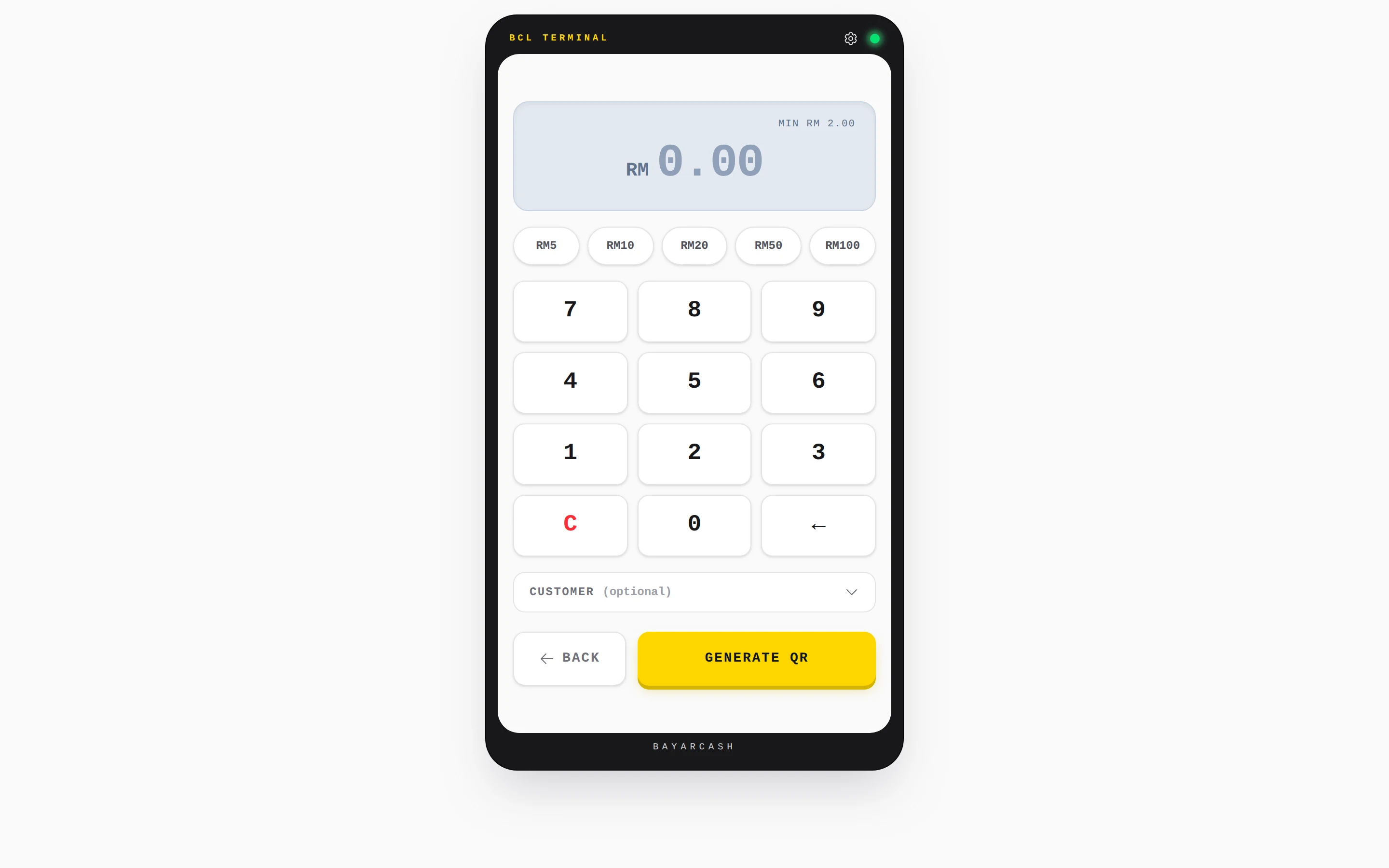
Use QR Terminal at a dinner or a surau counter, with a DuitNow QR for each amount.
Thank-you messages
Send a thank-you email or WhatsApp after each donation with an automation.
Countdown timer
A donation form's Campaign Timer counts down to its end date.
How your customers pay
Donors pay by FPX or DuitNow QR as standard. Cards and e-wallets appear once Bayarcash switches them on. Money goes through Bayarcash to your organisation's bank account and BCL records the donation. Real payments need an approved Bayarcash account. Build the page in Test Mode first.
Good to know
- Regular monthly giving needs its own Direct Debit form, Weekly or Monthly. It cannot be combined with other payment options.
- QR Terminal has a minimum of RM2.00 and always takes live payments, even in Test Mode.
- There is no refund button. Refund outside BCL, then cancel the order.
See it live
Opens a live example page. Please do not pay.
- Payment form Tip Jar: Petikan Senja Acoustic Open Amount (User Input) Petikan Senja, a two-piece busking duo with a tip jar Open the example
- Payment form Build a New Kennel Block for Rumah Kasih Paws Donation with a target and countdown Rumah Kasih Paws, an animal shelter raising money for new kennels Open the example
Questions owners ask
Can donors give any amount?
Yes. Set Price Setting to Open Amount (User Input) and the donor types the amount.
Can I show how much we have raised?
Yes. Set Type of Form to Donation. The Donation tab holds the Target Amount, and the page shows a progress bar and a countdown to the end date.
Can I collect donations at the venue?
Yes. Use QR Terminal on a phone or tablet. Key in the amount and show the DuitNow QR. The minimum is RM2.00.
Which payment methods can my customers use?
FPX online banking and DuitNow QR come as standard. Cards (Visa and Mastercard), e-wallets (Touch 'n Go eWallet, Boost, GrabPay), Buy Now Pay Later (SPayLater, Grab PayLater, Boost PayFlex) and cross-border QR (Singapore, Indonesia, Thailand and China) appear once Bayarcash switches them on for your account. Prices are in RM.
Can I start before my Bayarcash account is approved?
Yes. New accounts start in Test Mode, so you can build and try your forms first. Test payments go to the Bayarcash sandbox and nothing is charged. Your forms keep working after you connect Bayarcash.
Ready when you are.
Build your first form in Test Mode today. Connect Bayarcash when you want real payments.
Create your first form