
Share the work, not your password.
A cashier who only takes QR payments, a helper who only scans tickets, a manager who runs the forms. Each with their own login and only the menus they need.

Trusted by these companies














What you get
Every action has a name on it
Payments, check-ins and forms are recorded against the login that made them, so a shared login never hides who did what.
Only what they need
For the Team role, switch on view, create, update and delete per area: transactions, forms, coupons, events, protected content, leads, bookings and staff.
Check with your own eyes
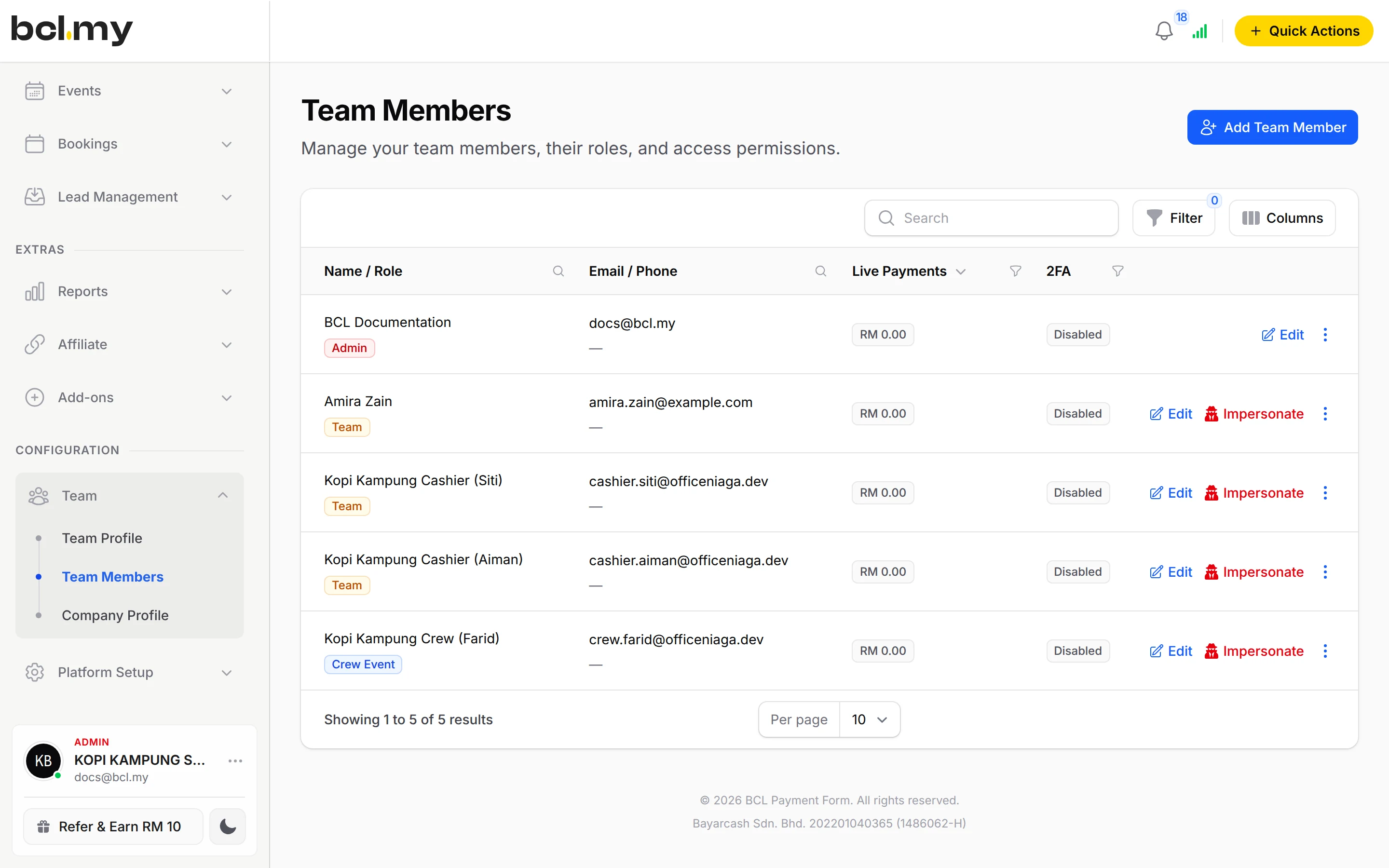
Click Impersonate on a member's row to browse BCL exactly as they do, then click Leave.
What you can do
Three roles
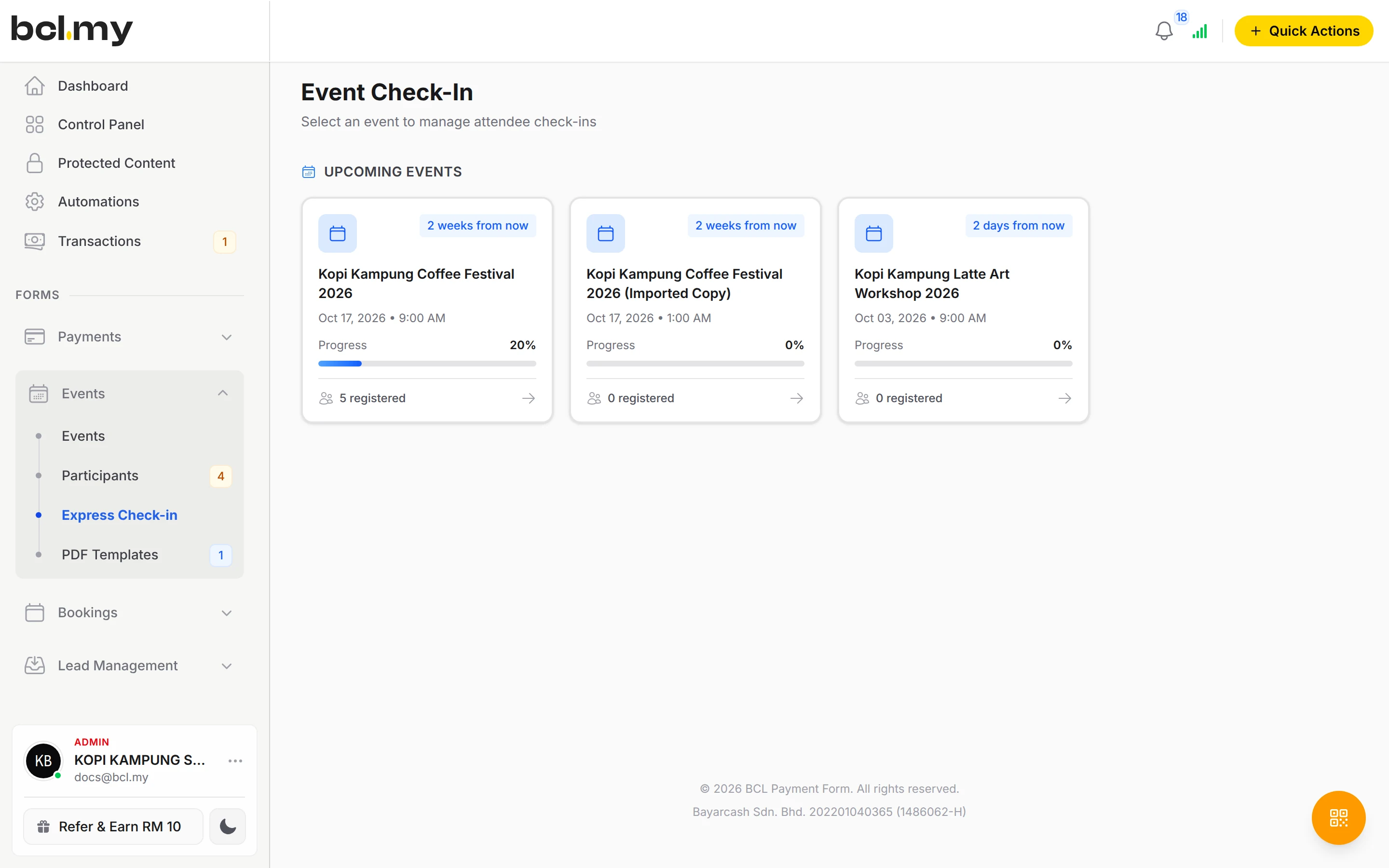
Admin (full access), Team (permissions you choose) and Crew Event (check-in only, limited to Allowed Events for Check-In).
Portals per staff
Give a Team member one or more Bayarcash Portal Keys and set Require Portal Key, so each counter's sales match its own portal.
Own or shared data
Team members see only their own data unless you turn on Show data for all team members in Team Profile.
Magic Login
Send a sign-in link that needs no password, with an expiry of 1 to 365 days. Regenerate or delete it any time.
Two-factor sign-in
The 2FA column on Team Members shows who has turned it on.
Change or remove
Edit details, change a password, or remove a login. Members with live transactions are kept so your records stay complete.
Used by
Jobs it helps with
Good to know
- There is no Cashier role. Use Team with Can View Transactions.
- Team settings, team members and payment settings are for Admins only. A Team member cannot open Customers, Team Profile or Bayarcash keys.
- BCL does not send an invitation email. Give the person their email and password, or a magic login link.
- A member with live transactions cannot be removed, nor can the team owner or your own login.
- A magic login link works more than once until it expires. Treat it like a password.
Questions owners ask
Which role should I give my staff?
Admin for someone who runs the whole account, Team for staff who handle only what you allow, and Crew Event for people who only check in event attendees.
My staff cannot see transactions made by other staff. Why?
Members with the Team role see only their own data by default. Turn on Show data for all team members in Team Profile and click Save Settings.
Is there a Cashier role?
No. Add your cashier as Team and turn on only Can View Transactions. That one permission opens QR Terminal for them.
Can I send staff a link instead of a password?
Yes. On their row in Team Members, choose Magic Login, click Generate magic login link, pick how long it works and send it in a private message.
What is BCL, and how does it work with Bayarcash?
BCL is where you build your forms, pages and payment links and see every sale. Bayarcash is the payment gateway behind it: it collects the payment and pays it out to your bank, minus its fee. To take real payments you need an approved Bayarcash merchant account.
Can I start before my Bayarcash account is approved?
Yes. New accounts start in Test Mode, so you can build and try your forms first. Test payments go to the Bayarcash sandbox and nothing is charged. Your forms keep working after you connect Bayarcash.
Ready when you are.
Build your first form in Test Mode today. Connect Bayarcash when you want real payments.
Create your first form