
Show donors how close you are.
Share one donation link with a target and a progress bar. Donors give any amount and get a receipt. You see every gift without checking slips.

Trusted by these companies














Sound familiar?
A bank account number in every poster
Donors transfer to the account in your poster, then you ask the committee treasurer to check the statement at the end of the month.
We only know how much we raised when the bank statement comes.
Donors cannot see progress
People give more when they see the goal is close. A poster from last month cannot show that.
Thank-yous & records by hand
Some donors want a receipt, some want to stay unnamed, and the committee wants a report. It all lands on one volunteer.
Our treasurer is a volunteer with a day job.
What you can do with one link
Collect donations
A Donation form with Open Amount (User Input): donors type any amount. A Target Amount, progress bar and countdown show how the campaign is going.
Learn moreCollect monthly payments automatically
Regular donors can give the same amount every month by Direct Debit, after they authorise it once in online banking.
Learn moreGet paid on WhatsApp
Share the campaign link in your WhatsApp groups and Friday announcements, or turn it into a QR for posters.
Learn moreTake payments at your counter
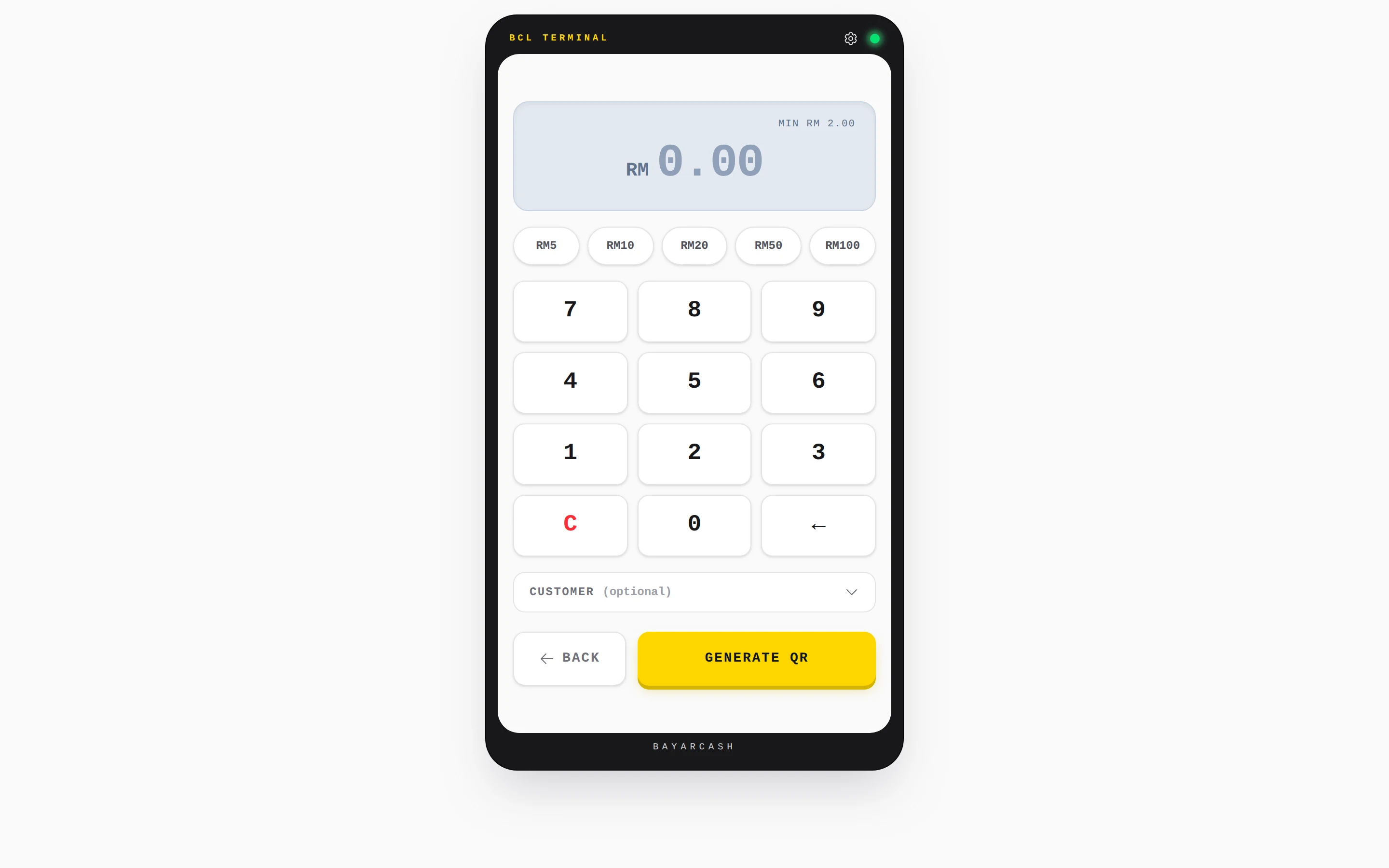
At a charity booth or after prayers, a volunteer keys an amount into QR Terminal and the donor scans the DuitNow QR.
Learn moreSell tickets for your event
Run a charity dinner or fun run with tickets and seats, with the Event Management add-on.
Learn moreSet up in 4 steps
See it live
Rumah Kasih Paws, new kennel block fund
- Any amount, toward a target
- Progress bar and countdown to the end date
- A receipt for every donor
- What each amount pays for, in the description
Open the example: Rumah Kasih Paws, new kennel block fund
Opens a live example page. Please do not pay.
How your customers pay
Donors give by FPX online banking or DuitNow QR from day one, and by card or e-wallet once Bayarcash switches them on. Overseas supporters can use cross-border QR from Singapore, Indonesia, Thailand or China once it is switched on; amounts are in RM. Monthly giving by Direct Debit sits on its own form.
Good to know
- Direct Debit for monthly donors needs its own form: it cannot be combined with FPX or DuitNow QR.
- Amounts are in RM only, including gifts from overseas donors.
- Real donations need an approved Bayarcash merchant account. You can build and test the form in Test Mode first.
- No refund button. Return the money yourself, then cancel the transaction in BCL.
After they pay
Every donation is in Transactions. Share a Live Dashboard link so your committee can watch the total rise, and export the list for your records.
AutomationsSend each donor a thank-you email or WhatsApp with their receipt link right after they give.
Customer PortalDonors find their own receipts with a one-time code.
Direct DebitSee every monthly donor's mandate and each deduction under Payments, then Direct Debit.
Questions owners ask
Can donors give any amount they like?
Yes. Set Price Setting to Open Amount (User Input) and donors type their own amount. BCL sets no upper limit, although the donor's bank may have its own.
Can I show a target and a countdown?
Yes. A Donation form has a Target Amount with a progress bar, and a Campaign Timer that counts down to your end date. It can close the form when time runs out.
Can people donate every month automatically?
Yes, with a Direct Debit form. The donor authorises once in online banking and the same amount is deducted every month. You see each mandate and deduction in BCL.
Can our committee see the total without logging in?
Yes. Create a Live Dashboard link for the form and share it privately. It shows revenue, recent donations and visitors, and updates as each gift comes in.
What is BCL, and how does it work with Bayarcash?
BCL is where you build your forms, pages and payment links and see every sale. Bayarcash is the payment gateway behind it: it collects the payment and pays it out to your bank, minus its fee. To take real payments you need an approved Bayarcash merchant account.
Can I start before my Bayarcash account is approved?
Yes. New accounts start in Test Mode, so you can build and try your forms first. Test payments go to the Bayarcash sandbox and nothing is charged. Your forms keep working after you connect Bayarcash.
Owners like you also run
Ready when you are.
Build your first form in Test Mode today. Connect Bayarcash when you want real payments.
Create your first form