
Every design, every size, one link.
Customers pick a design, choose their size and pay with the shipping already added. You get a paid order with the address, ready to pack.

Trusted by these companies














Sound familiar?
"Size M ada lagi?"
The same question fifty times a launch. You check the rack, reply, and by then the customer has moved on or the last M is gone.
Half my day is answering stock questions in DMs.
Working out shipping by hand
Peninsular or Sabah? One piece or three? Every order needs a new total, and customers wait while you count.
Copying addresses into the courier app
After the payment you still retype names, phone numbers and postcodes to make each waybill. One typo and the parcel comes back.
Packing is fine. It is the typing that takes my night.
What you can do with one link
Take orders & get paid online
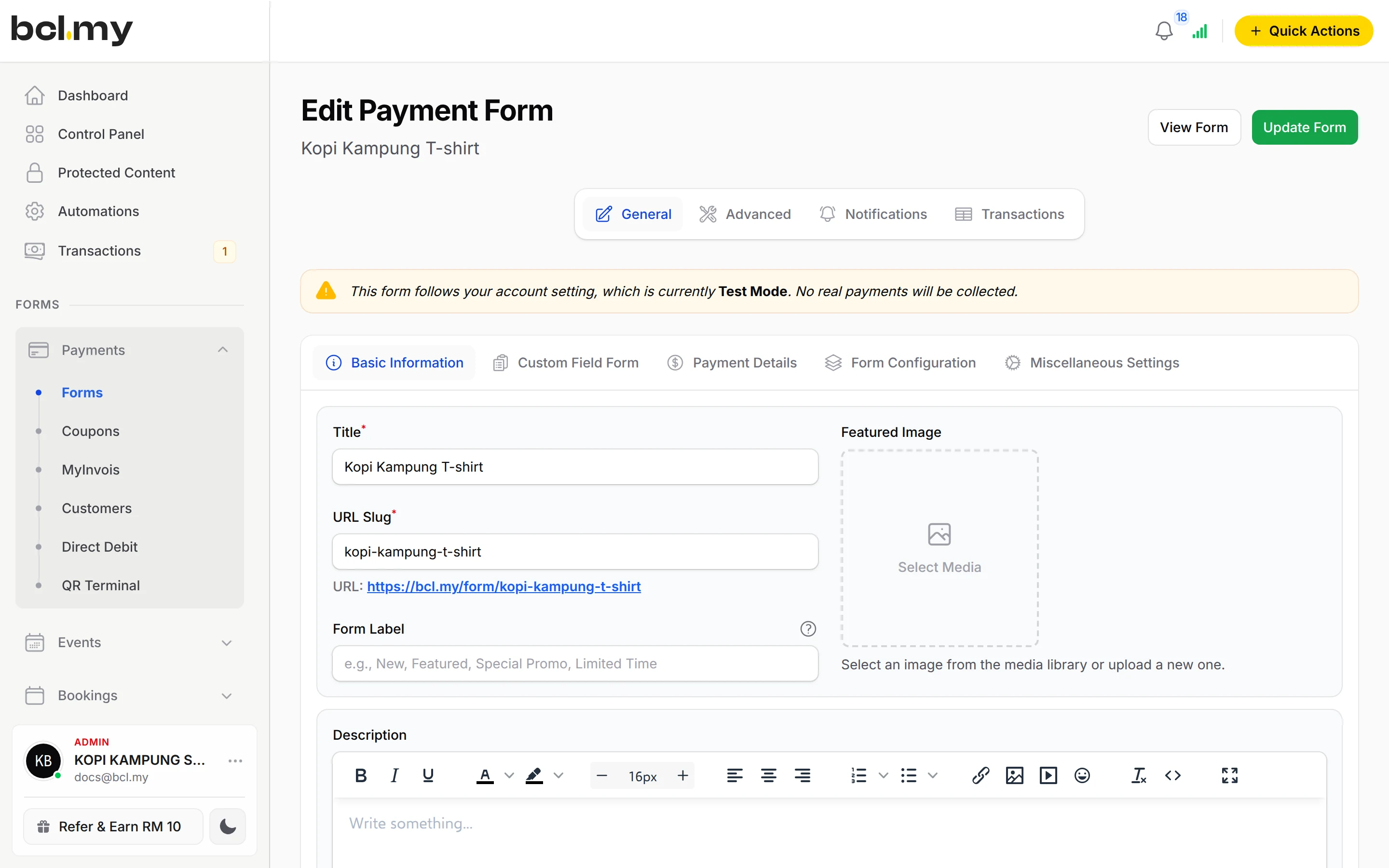
Items with Variations: make one variation item per design and put the sizes in it as options. A buyer can take Design A in M and Design B in L in one payment.
Learn more CoreGet paid on WhatsApp
Share the collection link in your WhatsApp, Instagram and TikTok. For a tailored piece, send a Payment Link for that customer's amount.
Learn more CoreRun an affiliate or agent team
Agents and dropshippers get their own link or QR and earn commission on their sales, even per item. You approve each payout and pay it yourself.
Learn moreTake payments at your counter
At a pop-up or bazaar, QR Terminal on your phone shows a DuitNow QR for the amount you key in.
Learn moreSet up in 5 steps
See it live
Butik Seri Tenun, baju kurung batik
- Two designs, each in S, M, L and XL
- XL priced higher than the other sizes
- Mix designs and sizes in one payment
- Size chart written on the form
Open the example: Butik Seri Tenun, baju kurung batik
Opens a live example page. Please do not pay.
How your customers pay
FPX and DuitNow QR are ready from the start. Cards, e-wallets and PayLater, useful for bigger baskets, appear once Bayarcash switches them on. Customers in Singapore, Indonesia and Thailand can pay by cross-border QR once it is switched on; prices stay in RM. COD needs the COD & Manual Transfer add-on.
Good to know
- Up to 6 variation items per form, each with up to 15 options. Split a big collection into several forms.
- Showing different shipping options by state needs the COD & Manual Transfer add-on. Without it, customers pick the option themselves.
- No order bump or one-click upsell.
- No refund or exchange button. Handle it with the customer, then cancel the order in BCL.
- One custom domain per BCL account.
After they pay
Create the shipment from the paid order, get the tracking number on it and print the waybill. No retyping addresses.
TransactionsTransactions lists each order with the design, size and address. Export it for packing or stock-taking.
Marketing PixelsMeta and TikTok pixels, with server-side tracking, tell your ads which posts bring paid orders.
AutomationsSend a thank-you or a shipping update without writing each message yourself.
Questions owners ask
Can a customer buy two designs in different sizes in one checkout?
Yes. Make one variation item per design with the sizes as options. The customer picks a size under each design, sets the quantity and pays for everything at once.
Can I charge more for shipping to Sabah and Sarawak?
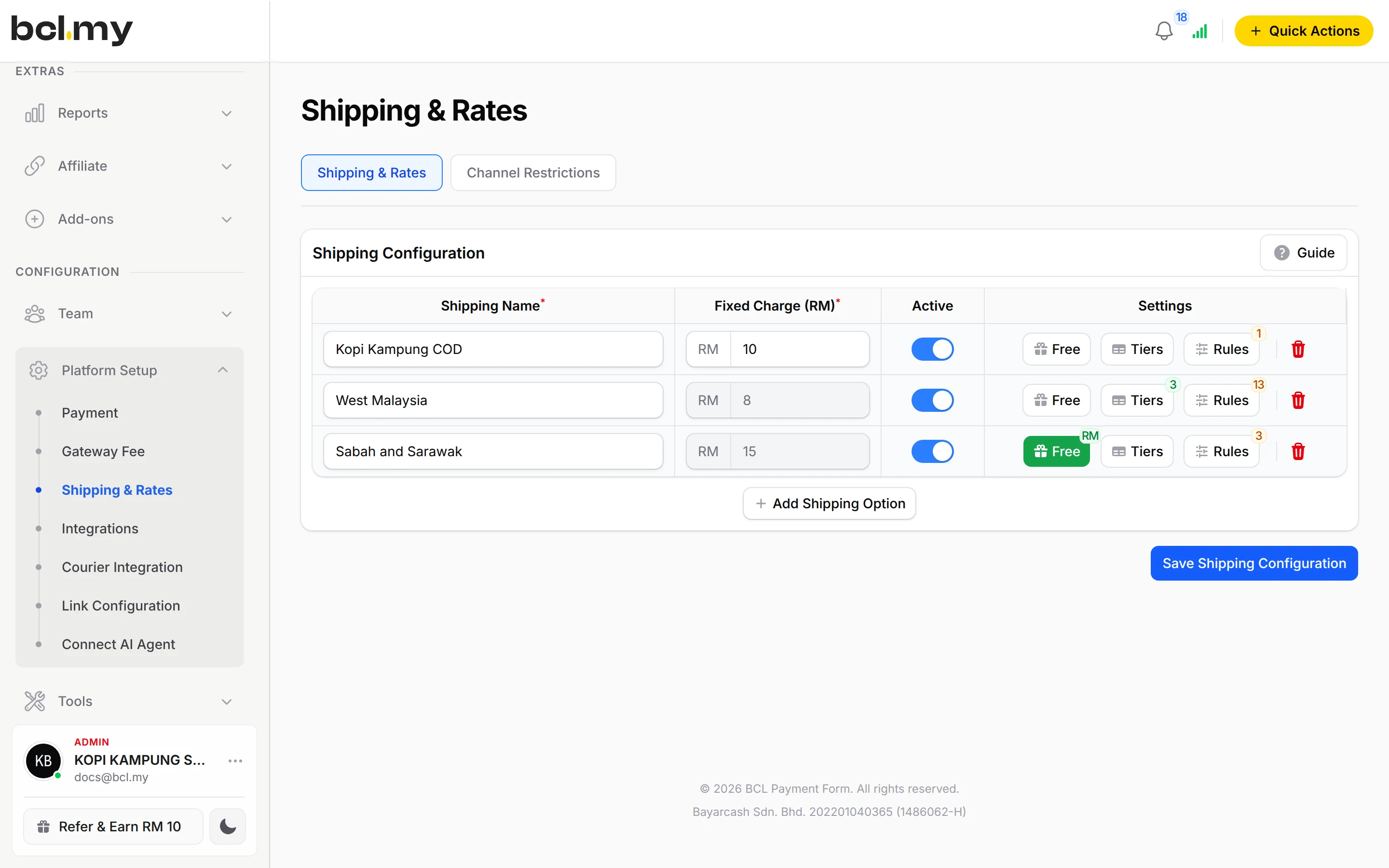
Yes. Add one shipping option per region. To show each customer only the option for their state, use Rules on each option; Rules need the COD & Manual Transfer add-on.
Which couriers can I connect?
With the Courier Integration add-on: EasyParcel, Ninja Van, Pos Malaysia, MyParcel Asia and Parcel Daily. You create the shipment from the order in Transactions and the tracking number is saved on it.
Can agents sell my collection for me?
Yes. Turn on affiliates for the form. Each agent gets their own link or QR, and BCL tracks their sales and commission. You approve and pay the commission yourself.
Which payment methods can my customers use?
FPX online banking and DuitNow QR come as standard. Cards (Visa and Mastercard), e-wallets (Touch 'n Go eWallet, Boost, GrabPay), Buy Now Pay Later (SPayLater, Grab PayLater, Boost PayFlex) and cross-border QR (Singapore, Indonesia, Thailand and China) appear once Bayarcash switches them on for your account. Prices are in RM.
How do refunds work?
BCL has no refund button. Return the money to your customer yourself (for example by bank transfer), then cancel the order in BCL so your records match.
Owners like you also run
Ready when you are.
Build your first form in Test Mode today. Connect Bayarcash when you want real payments.
Create your first form