
One link. Every slot, every staff.
Customers pick a service, a staff member and a time that is really free, and pay. You see the day on one calendar, add walk-ins, and reschedule in a click.
Made for Malaysia's micro SMEs.
What you get
No double bookings
A time can be booked only when your Operating Hours, the employee's Working Hours and the slot's capacity all allow it.
Paid before they arrive
Bookings are paid online and go straight to Confirmed with Auto Confirm Booking. Customers can cancel or reschedule themselves up to your cutoff.
The whole day on one screen
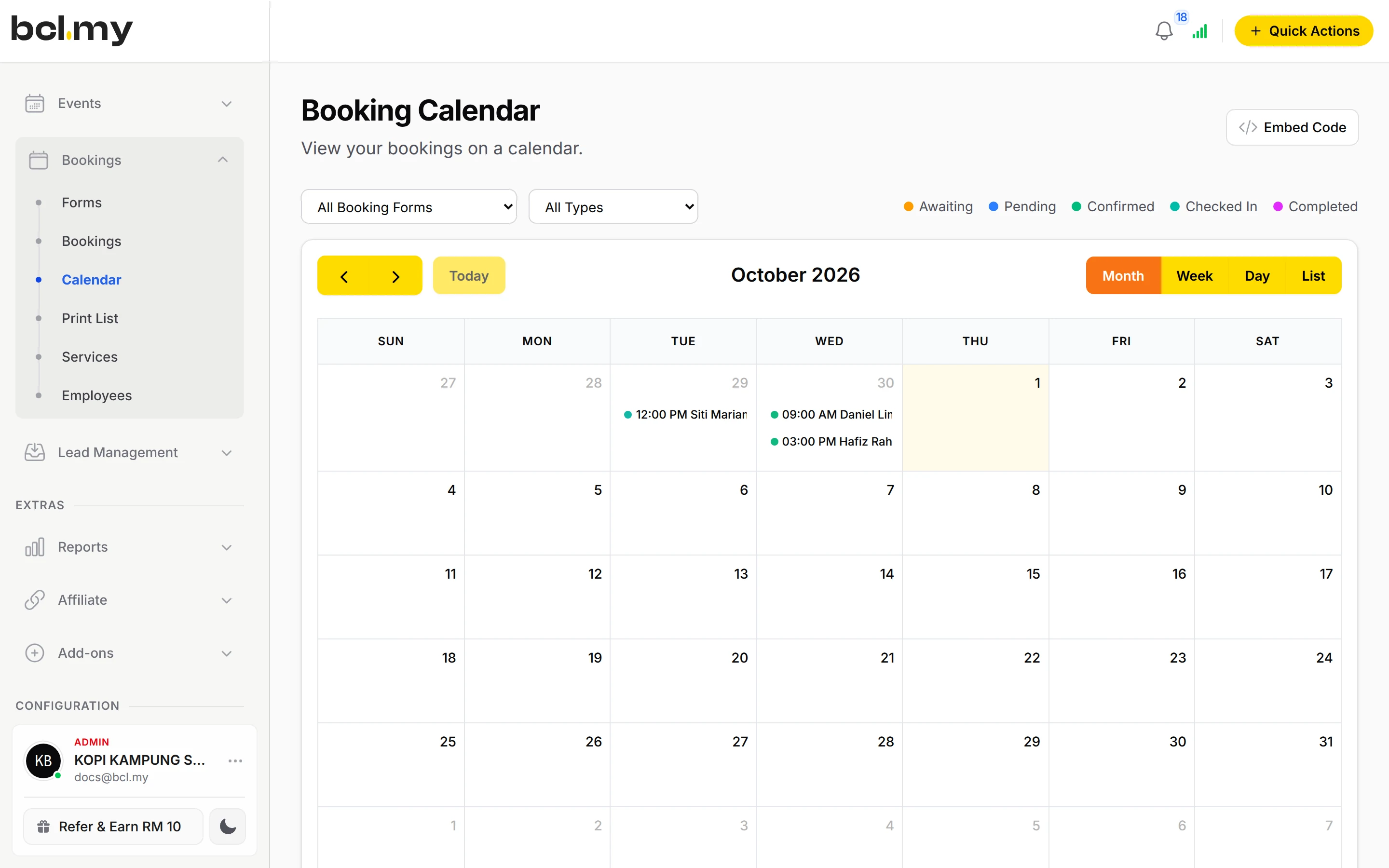
Calendar by month, week or day, a Print List for the front desk, and QR Scan to check customers in when they arrive.
What you can do
Five booking types
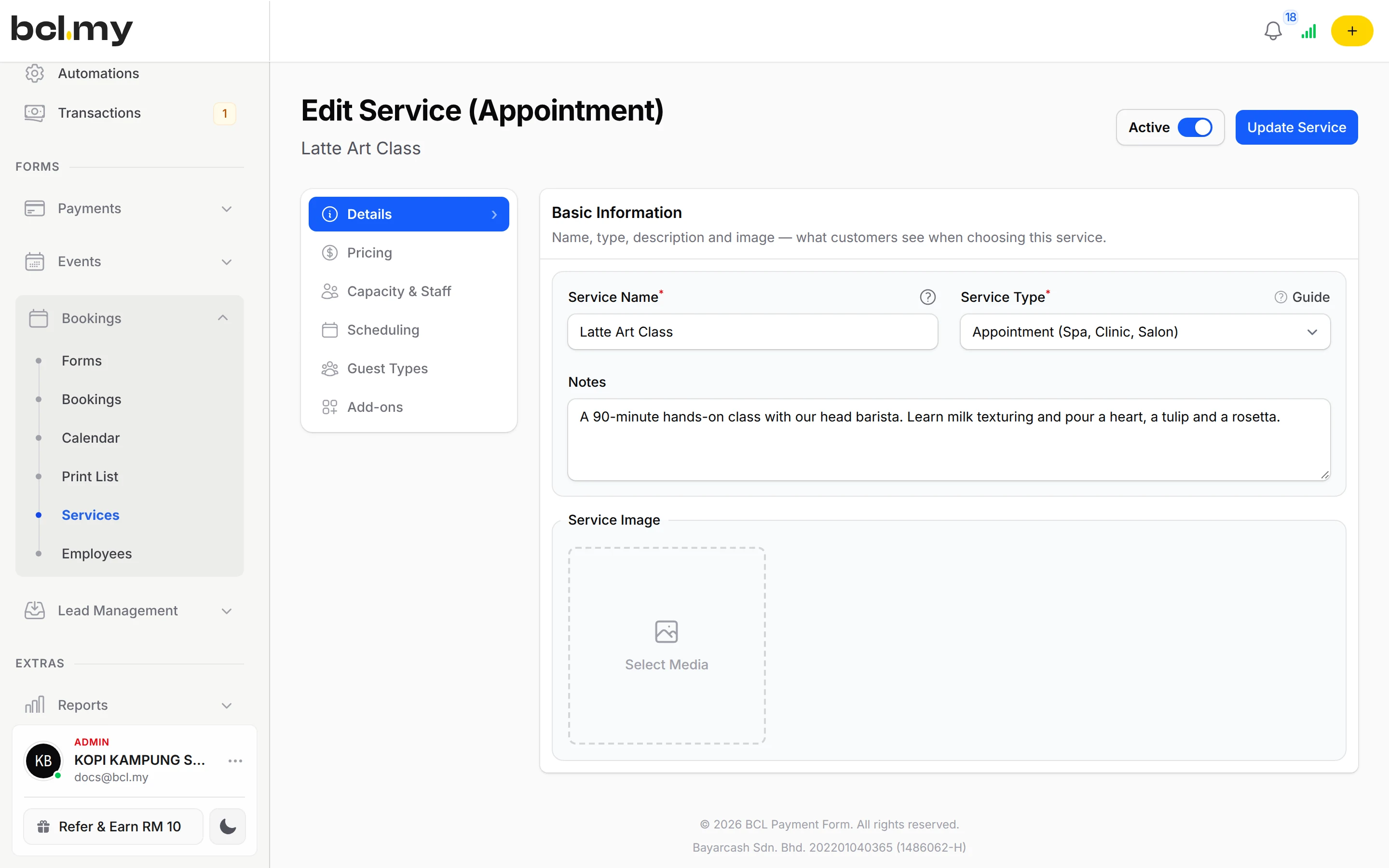
Appointment (spa, clinic, salon), Reservation (table booking), Ticket (museum, tour), Accommodation (hotel, homestay, room) and Court (badminton, tennis, futsal).
Staff and working hours
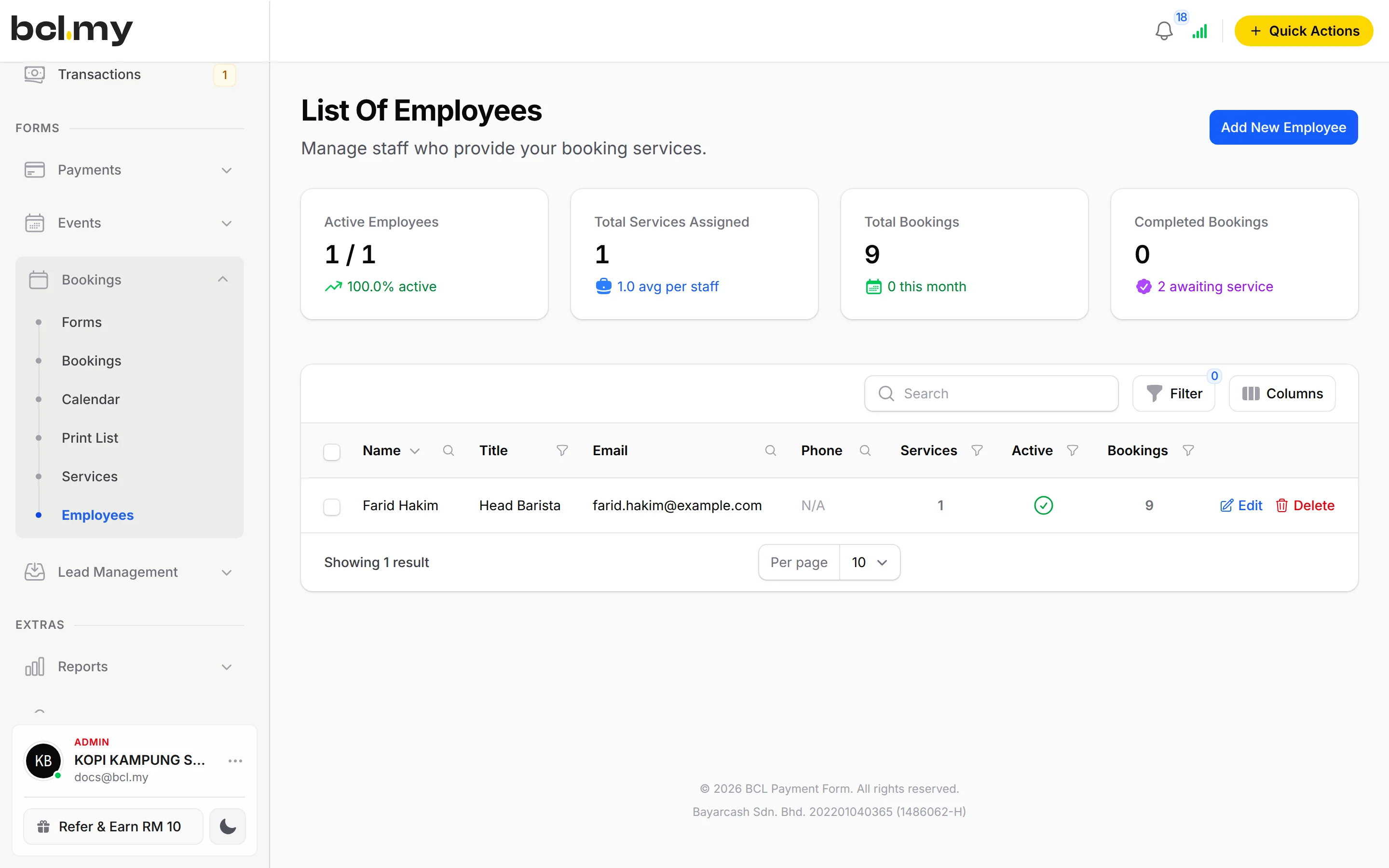
Add each employee with their days and hours. Customers can pick a staff member, or you assign one later.
Day & Time Rates
Charge more on weekends, public holidays or peak hours without a second service. Up to 20 rates per service.
Capacity, buffer and rules
Slot Capacity for classes, Buffer Time between bookings, Advance Booking Days, Booking Cutoff, and whether customers can book for today.
Walk-ins and changes
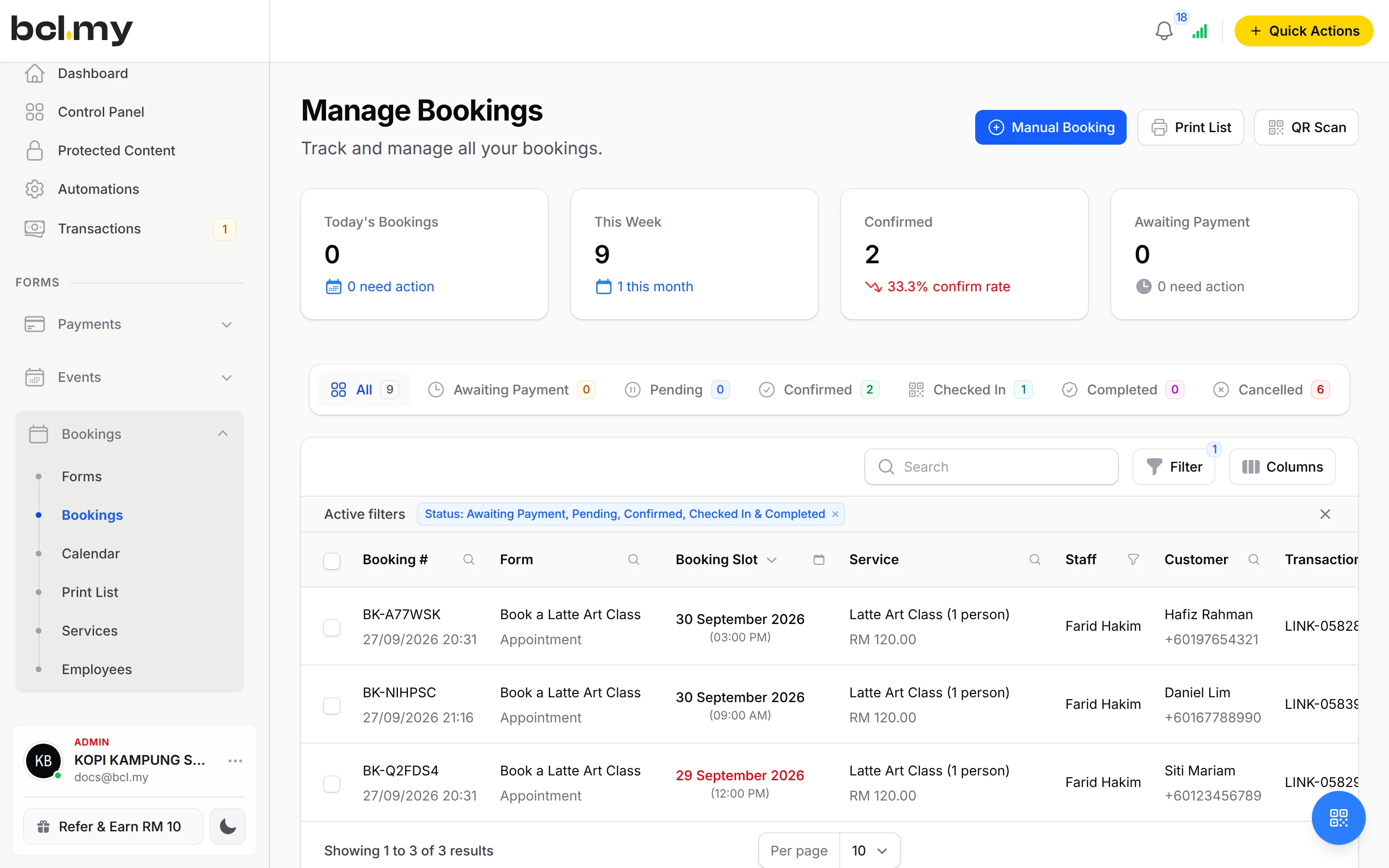
Manual Booking for walk-ins and phone bookings. Reschedule, Change Staff, Cancel Booking or Mark as Completed from one menu.
Guest types and add-ons
Adult and child prices, and extras the customer can pick when they book.
Templates
Start from Hair Salon or Badminton Court and edit the sample services and staff.
Used by
Jobs it helps with
Good to know
- An Appointment service needs at least one employee in Assigned Staff.
- A new employee starts with every day Off; switch on their working days or customers see Slot No Longer Available.
- Unpaid bookings are cancelled after about 15 minutes and the slot is freed.
- Booking forms accept coupons set to Apply to Form Total only, and affiliates earn one rate per order.
- Ticket services price each ticket type separately and have no Day & Time Rates.
- Booking forms do not have a Live Dashboard.
Questions owners ask
What kinds of bookings does BCL support?
Five: Appointment (spa, clinic, salon), Reservation (table booking), Ticket (museum, event, tour), Accommodation (hotel, homestay, room) and Court (badminton, tennis, futsal).
Can customers choose which staff member they want?
Yes. Set each person's Working Hours under Bookings > Employees, assign them to the service, then set Staff Selection Mode on the booking form to Optional or Required.
Can I charge more on weekends?
Yes. On the service's Pricing tab, add a Day & Time Rate for Sat and Sun with its own Rate per booking. Dates win over days, so a Public Holiday rate overrides the weekend rate.
Can I add a walk-in who pays at the counter?
Yes. Click Manual Booking, choose the form, service, date and time, enter the customer's details, set Booking Status to Confirmed and click Create Booking.
Can I start before my Bayarcash account is approved?
Yes. New accounts start in Test Mode, so you can build and try your forms first. Test payments go to the Bayarcash sandbox and nothing is charged. Your forms keep working after you connect Bayarcash.
Which payment methods can my customers use?
FPX online banking and DuitNow QR come as standard. Cards (Visa and Mastercard), e-wallets (Touch 'n Go eWallet, Boost, GrabPay), Buy Now Pay Later (SPayLater, Grab PayLater, Boost PayFlex) and cross-border QR (Singapore, Indonesia, Thailand and China) appear once Bayarcash switches them on for your account. Prices are in RM.
Ready when you are.
Build your first form in Test Mode today. Connect Bayarcash when you want real payments.
Create your first form